









Best CRM for Outbound Sales: How to Choose a System Built for Prospecting

Choosing a CRM for outbound sounds like a tooling decision. But the core problem isn’t finding a CRM.
Most teams already have one. What they don’t have is a system built for prospecting: live research, timing, follow-ups, and replies working together instead of living in separate tools.
A CRM tracks work. It doesn’t create it.
This means the real question isn’t which CRM to switch to. It’s if your stack can drive outbound at all, or if you need a dedicated layer to do the work on top of your CRM.
Key takeaways
- Most outreach fails because it’s generic, poorly timed, and not based on real context.
- Strong outreach starts with a clear ICP and a specific reason to reach out.
- Use signals like hiring, funding, or engagement to contact prospects at the right time.
- Keep messages short, relevant, and focused on the prospect, not your company.
- Follow-ups should add value and build a narrative. Avoid repeating the same message.
Why outbound sales needs a different kind of CRM
Most CRMs only enter once a contact is already qualified and moving through a deal. But outbound work starts before that.
That timing gap matters. When prospecting lives outside the system, outreach turns into a patchwork of tabs, exports, reminders, and manual updates. The CRM stays clean, but teams build pipeline elsewhere.
This mismatch between when outbound starts and when most CRMs show up explains why traditional systems struggle before a lead appears.
Traditional CRM = passive record-keeping
Classic CRMs store what already happened. They don’t drive what should happen next.
They work fine once a lead exists. Before that? Not so much.
In practice, this means:
- You bring your own lists, targeting logic, and ideas.
- The system has no sense of who’s in-market right now.
- Research lives in browser tabs rather than in the workflow.
- Outreach happens in other tools and gets logged afterward.
- The CRM records activity, but doesn’t generate it.
- Pipeline grows only if salespeople push it themselves.
If the system only records activity after it happens, pipeline creation stays manual by definition. That’s why outbound needs a different operating model.
Outbound CRM = proactive pipeline engine
An outbound system determines who to contact and when, based on real signals and timing. Prospecting sits at the center of the workflow and drives everything else.
In practice, this means:
- The system selects accounts using real buying signals that reflect current intent.
- The system researches prospects in real time as it creates each message, using fresh public data.
- Campaigns start from the GTM strategy, including audience logic and messaging angles.
- A single decision system orchestrates messages, timing, and channels.
- The system generates pipeline continuously as part of daily operations.
When a system drives targeting, timing, and context, outbound feels lighter. When it doesn’t, the friction shows immediately.
Signs your current CRM is slowing down outbound
If outbound feels heavy, the system is probably working against you.
Common symptoms that leads recognize first:
- Pipeline attribution is murky because outbound activity gets logged but it’s hard to prove what generated which conversations.
- You need 3–5 tools just to launch one outbound campaign, and none of them talk to each other cleanly.
- Sales teams spend more time updating fields than writing messages.
- Signals arrive after the window to act has already closed.
- Follow-ups depend on personal discipline rather than system logic.
- Pipeline reviews focus on logged activity over new conversations started.
Teams often ignore these red flags and reach for familiar tools. What they need to do is fix how outbound is supposed to work.
Key features to look for in an outbound sales CRM
Not every CRM can support outbound. And most aren’t designed to.
Before comparing tools, it helps to know what a genuinely outbound-capable stack needs to do. These are the capabilities that separate a system that creates pipeline from one that only records it.
Cadence and task management for multi-channel outreach
Outbound rarely runs through a single channel or a single touch.
The system needs to support coordinated sequences across email, LinkedIn, and calls, with logic that controls timing, channel order, and message variation based on where a prospect is in the sequence and how they’ve responded.
Without this, follow-ups become a salesperson’s personal responsibility, and consistency disappears the moment they get busy.
Native integrations with enrichment, intent, and email tools
No CRM does everything on its own.
The real question is how cleanly it connects to the tools that feed it: enrichment providers, intent data sources, mailbox infrastructure, and sequencing platforms.
Tight integrations mean less manual data work and fewer gaps between where teams make targeting decisions and where outreach gets executed. Loose integrations mean exports, imports, and fields that never quite match.
Flexible pipelines and reporting for outbound motions
Outbound pipelines move differently from inbound ones. Contacts enter earlier, require more touches, and convert on longer timelines.
A CRM built for inbound lifecycle stages will force teams to retrofit their reporting around stages that don’t reflect how outbound works. Look for systems where you can define pipeline stages around outbound-specific milestones (first reply, meetings booked, meetings held) and pull reports that show conversion at each step rather than raw activity totals.
Collaboration between marketing, SDRs, and AEs
Outbound rarely runs cleanly inside one team’s lane. Marketing owns the ICP and messaging, SDRs own the sequences, and AEs own the handoff.
When each function works in a different system, context falls through the gaps. A prospect arrives at a discovery call and the AE has no idea what was said in the last 4 emails.
Look for systems where shared visibility across functions is built in by default.
Common mistakes when choosing a CRM for outbound
Teams usually make outbound tooling decisions under pressure like a missed quarter, a thin pipeline, or a sudden growth target. In stressful moments, teams optimize for speed and safety. They pick familiar platforms, strong brands, and widely approved tools.
Each of these choices is rational in isolation. But they’re mistakes in outbound strategizing.
Picking a CRM purely by brand or G2 rating
Well-known platforms and high ratings feel like the safest choice. You can easily justify your decision to leadership, reducing personal risk.
What usually happens:
- The CRM excels at reporting, forecasting, and lifecycle management.
- Prospecting still lives in separate tools and manual workflows.
- Strategy, research, and execution remain disconnected.
- Teams rebuild the outbound process around the CRM and not inside it.
- Teams still measure success by activity volume instead of meetings or pipeline.
A CRM’s reputation reflects how well it manages pipeline that already exists. It doesn’t reflect how well it creates one.
That’s why brand and G2 ratings are unreliable proxies for outbound fit.
The right question to ask isn’t “is this CRM well-reviewed?” but “does this system generate meetings, or does it just track them?”
Underestimating setup, data migration, and adoption
When the quarter starts slipping away, or the pipeline gets thin, teams want a quick fix. Demos look clean. Timelines sound reasonable. Everyone says confidently, “We’ll just move over in a few weeks.”
What usually happens:
- The team has to clean, map, and maintain data before anything useful runs.
- Workflows take weeks of setup, testing, and revision.
- Salespeople keep working with the old tools while the new CRM runs in parallel.
- Managers spend time driving adoption instead of fixing the pipeline.
- Outbound slows down during the transition instead of speeding up.
A CRM switch rarely fails because of missing features. It’s usually a time, coordination, and habits problem.
Teams make the choice for speed, but they redirect effort away from prospecting and into the rollout. Outbound slows, and the pipeline gap doesn’t close.
Ignoring outbound-specific use cases in the buying process
Many teams still think about outbound as “just another sales motion.” Or, worse, as “sequences plus data plus salespeople.”
The buying conversation usually goes like, “We need a better CRM for sales.” Not “We need a system for creating a pipeline.”
What usually happens:
- There’s no built-in concept of signals, timing, or live research.
- Strategy, targeting, and execution live in different tools.
- Messaging and follow-ups depend on individual salesperson habits.
- Results improve through staffing changes rather than system changes.
Outbound has its own moving parts: signals, timing, research, message orchestration, and strategy iteration. When a system doesn’t model these, outbound turns into tool-hopping, team-dependent work that stays hard to scale and hard to fix.
Best CRMs for outbound sales
With outbound, the CRM doesn’t sell for you, but it decides how much manual work sales teams are left to do. Some systems support prospecting, replies, and context in one place. Others push teams into exports, side tools, and constant cleanup.
Here’s an overview of CRMs teams commonly use, what they’re good at, and where they tend to fall short in outbound.
AiSDR + your existing CRM (HubSpot/Salesforce)
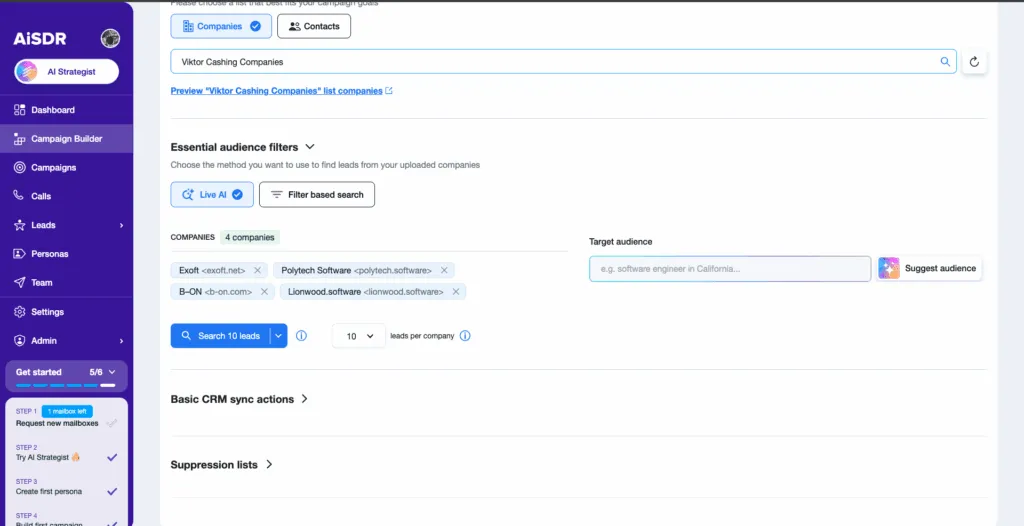
Best for: Teams that already live in a CRM but want outbound to run as a repeatable system rather than a person-by-person craft project. AiSDR is the right fit when your pipeline depends on reaching the right people at the right time, with messages built on real context and not guesswork. This helps your outreach book qualified meetings that show up.
What AiSDR does in practice:
- Connects to HubSpot in 2 clicks and runs campaigns directly from your HubSpot lists
- Uses up to 3 HubSpot properties (default or custom) to personalize outreach based on each lead’s stage and activity
- Enriches missing HubSpot or CSV data (emails, LinkedIn profiles, job titles) so your lists are complete before outreach starts
- Creates HubSpot contacts for net new leads the system finds, so they land in your CRM automatically
- Targets leads using a combination of your CRM data and live intent signals (website visitors, LinkedIn engagement, and more) rather than static audience filters
- Pulls full Salesforce activity history when a contact syncs: notes, meeting logs, call records, email threads, opportunities, and cases, so every message reflects real context
Limitations:
AiSDR doesn’t replace deal management, account ownership, or reporting. HubSpot or Salesforce stays the primary system of record that AiSDR syncs data to and from.
Stand out in crowded inboxes with AiSDR
HubSpot Sales Hub
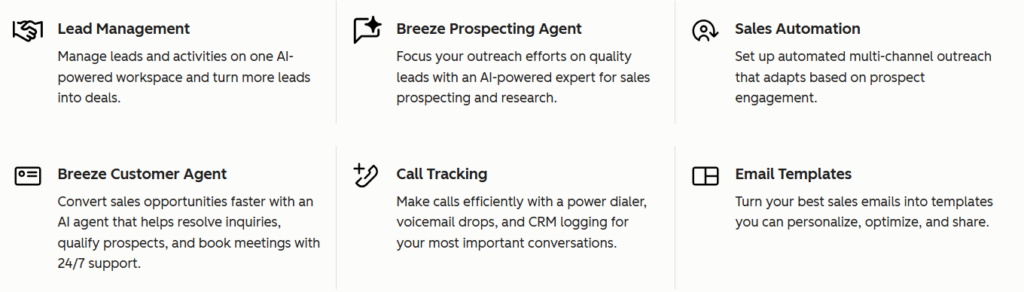
Best for: Outbound motions that stay tightly connected to inbound activity, lifecycle stages, and account ownership. It works best when volumes are controlled, and teams manage replies, follow-ups, and prioritization manually.
What it does in practice:
- Segments contacts and companies using lifecycle stages, properties, and engagement history
- Lets teams run email outreach through native sequences and tracked emails
- Logs replies, opens, meetings, and activities directly in the contact record
- Moves contacts into deals and pipelines once conversations progress
- Keeps outbound, inbound, and account history visible in one CRM timeline
Limitations:
Sales Hub doesn’t tell reps who to prospect next, when to reach out, or which context matters most. So when teams need outbound to actively create a pipeline, they have to rely on external systems for targeting, sequencing, and prioritization.
Salesforce Sales Cloud
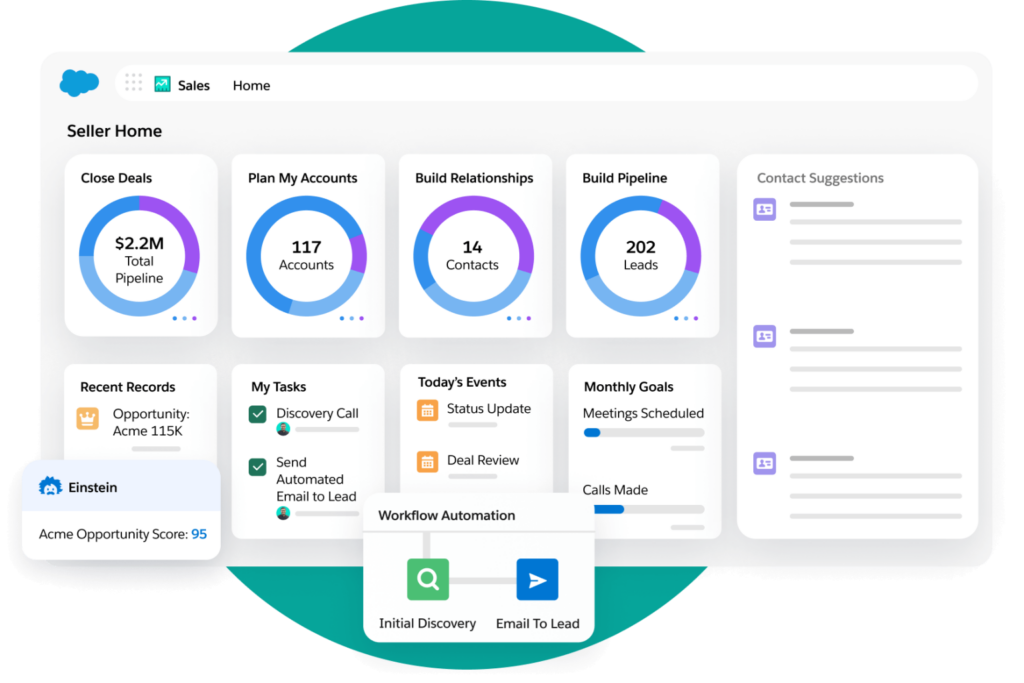
Best for: Large sales organizations where outbound must follow strict processes, ownership rules, and account models across multiple teams. Sales Cloud is strong at governance, reporting, and coordination.
What it does in practice:
- Organizes outbound around accounts, contacts, and opportunities rather than individual salespeople
- Enforces complex ownership models (territories, roles, account hierarchies)
- Supports involvement from multiple salespeople on the same account with shared visibility
- Logs emails, calls, meetings, notes, and activities across contacts and opportunities
- Ties outbound activity to forecasting, reporting, and pipeline governance
Limitations:
It doesn’t drive prospecting or sequencing on its own. You’ll need to layer outbound tools on top to handle targeting, sequencing, follow-ups, and reply handling, while Salesforce remains the system of record.
Pipedrive
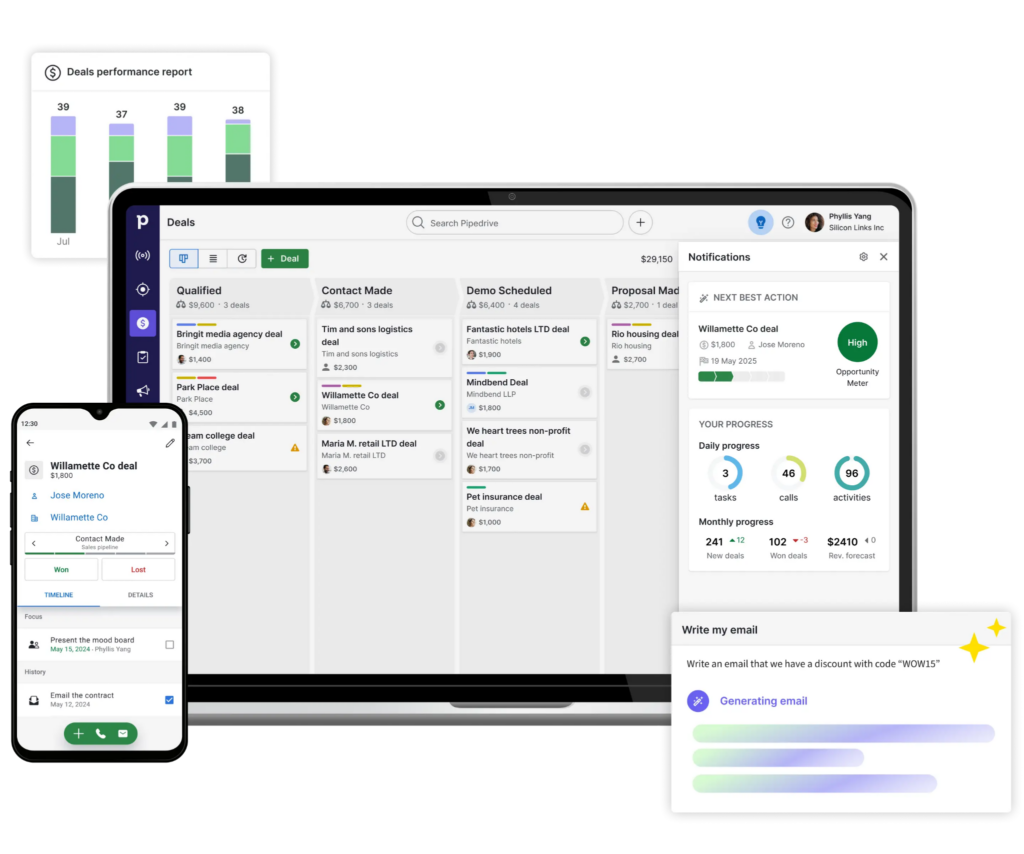
Best for: Activity-driven outbound teams with short sales cycles and a strong focus on pushing deals forward.
What it does in practice:
- Centers the workflow on deals progressing stage by stage
- Gives salespeople clear activity reminders and follow-up prompts
- Keeps CRM admin light so teams stay focused on conversations
- Makes pipeline status and next actions easy to see at a glance
Limitations:
Effective as it is for execution, this tool doesn’t decide who to contact or when. As volume grows, teams typically add external solutions for prospecting, sequencing, and enrichment, while Pipedrive continues to track deals and outcomes.
Close
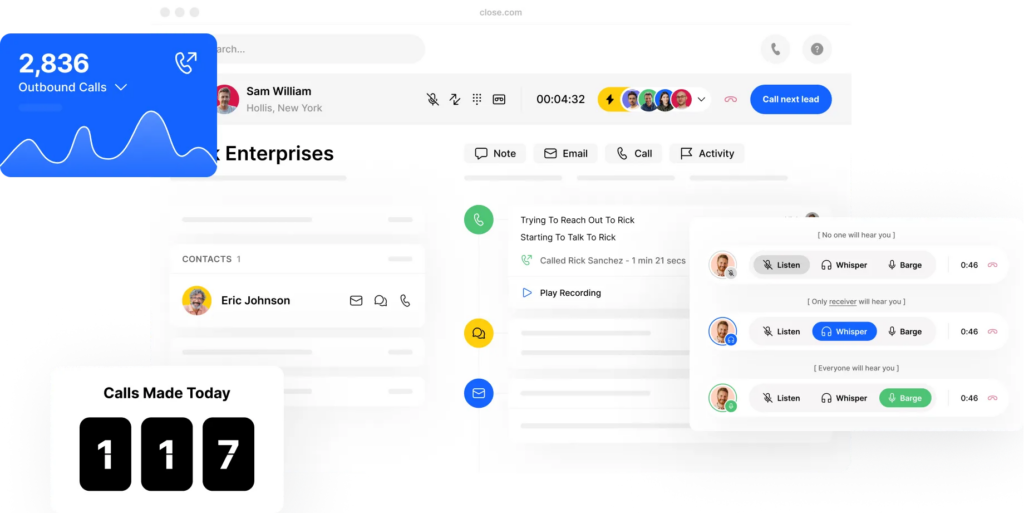
Best for: Call-first outbound teams where speed, dialing volume, and team activity visibility matter more than complex CRM workflows.
What it does in practice:
- Centers outbound around fast dialing and call tracking
- Keeps follow-ups tightly linked to call outcomes
- Gives managers real-time visibility into team activity and call performance
- Logs calls, notes, and outcomes with minimal friction for teams
- Supports email outreach as a secondary channel to voice
Limitations:
The tool is strong for execution and visibility, but weaker at list building, intent discovery, and multi-channel orchestration.
Apollo.io
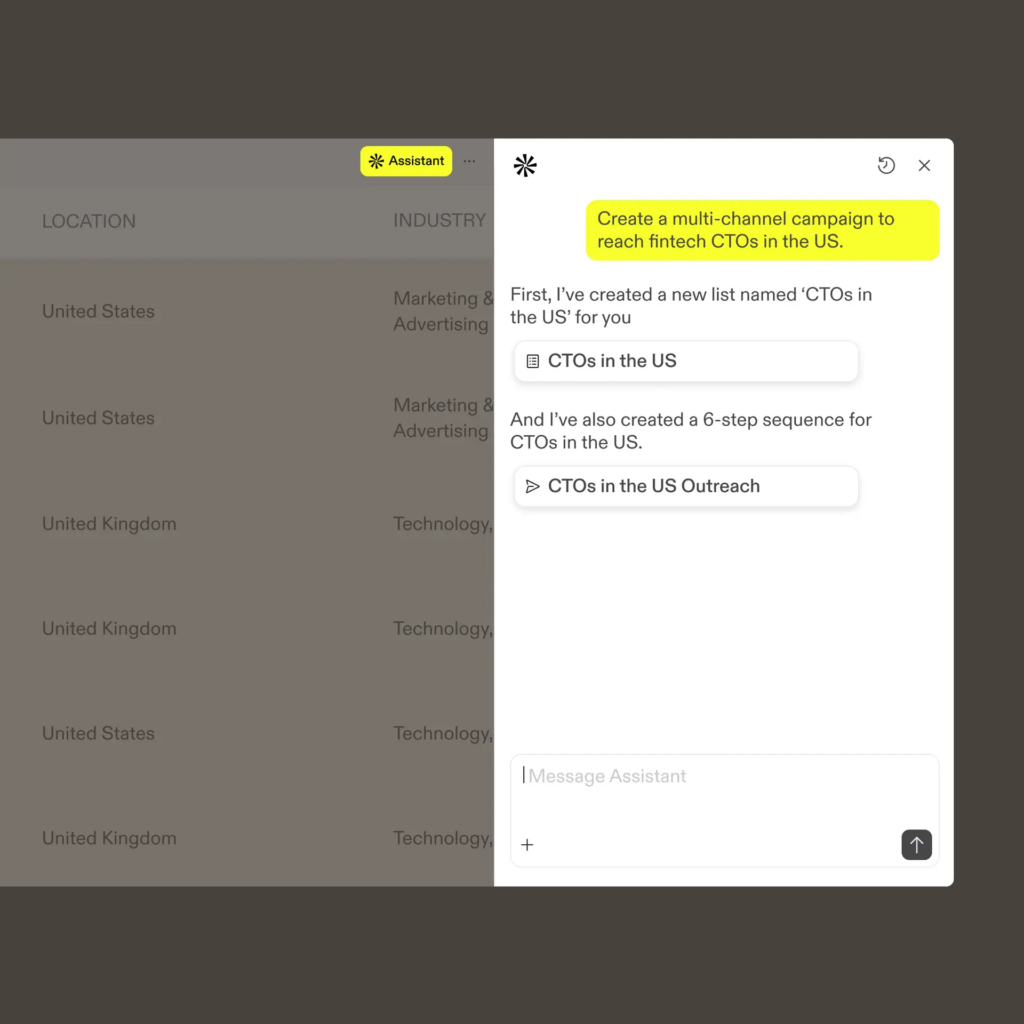
Best for: Sourcing leads and running early outbound experiments before a repeatable outbound motion is established.
What it does in practice:
- Provides a large contact and company database for list building
- Lets teams launch first outbound email sequences quickly
- Supports basic enrichment and filtering for ICP testing
- Helps validate whether an audience or message is worth pursuing
- Syncs contacts and outreach activity back to CRMs like HubSpot and Salesforce
Limitations:
Targeting is largely filter-based, while real-time signals, which matter most for effective outbound, are limited. As outbound matures, teams often layer on more specialized systems for timing, intent signals, reply handling, and pipeline quality.
Freshsales
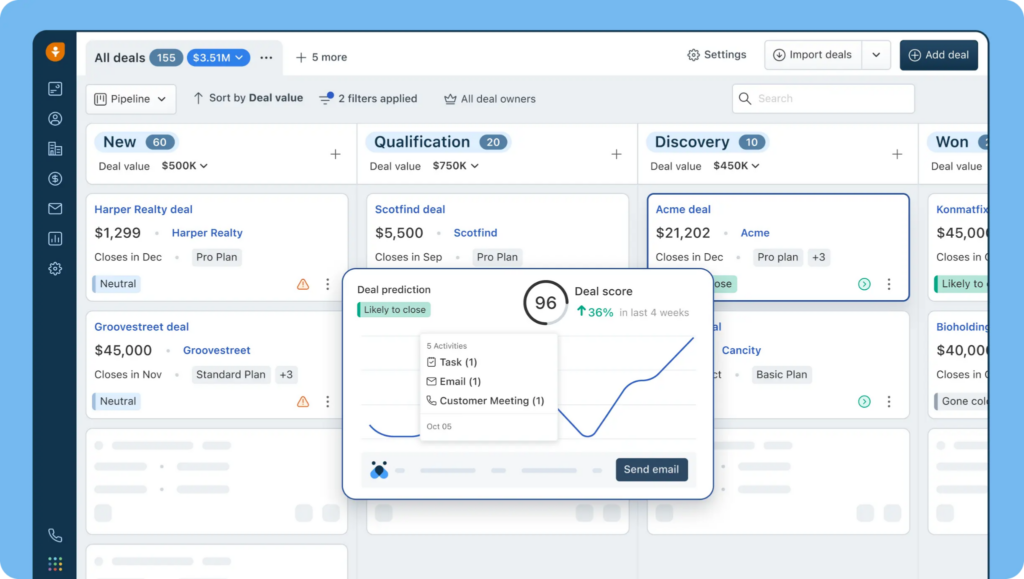
Best for: SMB teams that want outbound inside a single CRM with light automation and minimal setup. Freshsales works well when outbound volumes are moderate, and teams handle targeting, follow-ups, and replies themselves.
What it does in practice:
- Manages contacts, accounts, and deals in one place
- Supports basic outbound via email sequences and activity tracking
- Uses built-in lead scoring based on engagement and attributes
- Keeps calls, emails, notes, and tasks tied to the contact timeline
- Gives managers visibility into team activity and pipeline movement
Limitations:
Freshsales helps organize sales work, but prospecting decisions, timing, and intent still live outside the system.
Zoho CRM
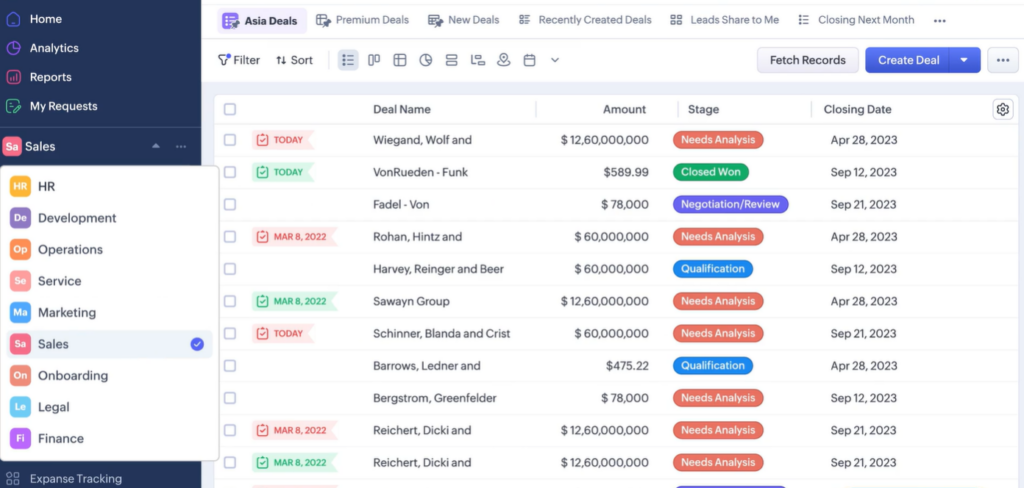
Best for: Ops-heavy teams that want a flexible CRM they can customize to match internal sales processes.
What it does in practice:
- Tracks leads, contacts, accounts, and deals across custom pipelines
- Supports outbound emails, tasks, and reminders through built-in tools
- Allows custom fields, workflows, and automation rules
- Centralizes sales activity history for reporting and forecasting
- Integrates with Zoho’s broader sales and marketing suite
Limitations: This system doesn’t identify in-market accounts or decide when to engage.
Copper
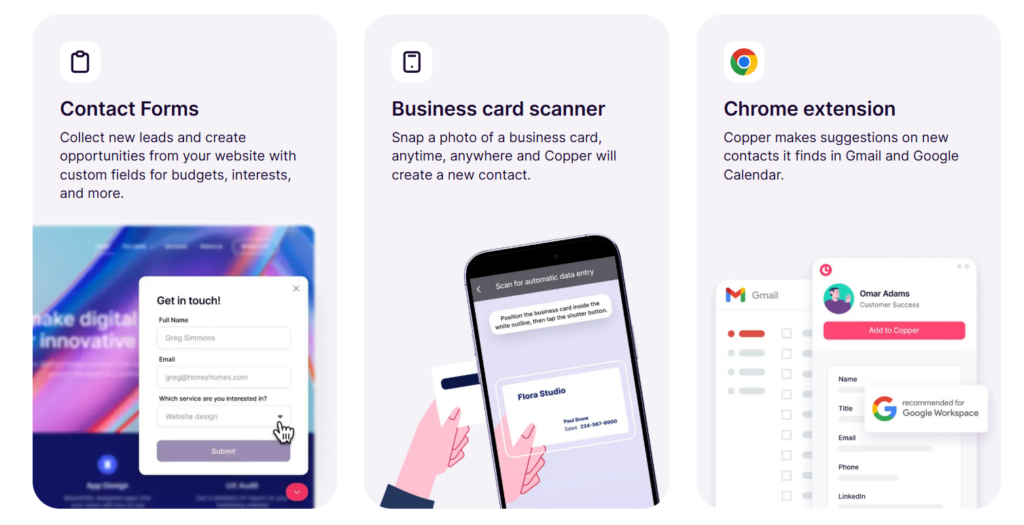
Best for: Teams that live in Gmail and Google Workspace and want outbound to feel lightweight and familiar. Copper excels at relationship-driven outbound with small lists and short cycles.
What it does in practice:
- Syncs contacts, emails, and meetings directly from Gmail and Google Calendar
- Tracks deals and relationships with minimal data entry
- Lets teams send and track outbound emails from their inbox
- Automatically updates activity history without manual logging
- Prioritizes relationship tracking over complex automation
Limitations:
Copper keeps activity organized, but it doesn’t support advanced targeting, sequencing logic, or signal-based prospecting at scale.
How to evaluate the right outbound CRM stack for your team
Most teams evaluate sales tools as they do infrastructure: by features, brand names, and peer reviews. This logic makes sense for data storage. It doesn’t hold up when the system should be creating pipeline.
A better evaluation framework starts with a different question:
Does this stack help us improve targeting, messaging, and timing faster, and turn those improvements into real meetings?
If the answer isn’t clear, you’re simply comparing software. Below, we offer a more systematic view on building an outbound system.
Map GTM motions (inbound, outbound, PLG) before choosing tools
Every company runs several growth motions at once, even if it doesn’t label them that way. Inbound, outbound, and product-led growth operate on different inputs, cycles, and economics.
Before selecting a tool, get clarity on:
- Which motion should produce pipeline in the next quarter
- Which teams own each motion
- Where outbound fits in the overall GTM system
- Which decisions are currently slow or fuzzy: who to target, when to reach out, what to lead with
This clarity prevents a common mistake: Buying a general “sales CRM” and then trying to retrofit it into a pipeline creation engine. Once the motion is clear, you can safely evaluate the stack on how well it supports targeting, signals, research, and orchestration for that particular motion.
Run a pilot with one team or one segment first
Outbound systems work when teams can learn quickly from real outreach. Large, “complete” rollouts slow that learning down by hiding friction and delaying feedback until it’s too late to adjust.
A focused pilot keeps the evaluation realistic:
- 1 ICP segment or region
- 1 clear offer or use case
- 1 team accountable for outcomes
- A short cycle measured in weeks or sometimes days (not quarters)
The goal is simple: To see how fast the stack helps you test and refine your assumptions about targeting, signals, offers, and messaging. If iteration feels slow, fragmented, or tool-heavy in a pilot, it will only get worse at scale.
Measure meetings booked, response rates, and team efficiency
Activity metrics create comfort. They rarely create a pipeline. For outbound, the real unit of success is meetings that take place.
A meaningful evaluation tracks 3 things:
- Meetings booked and held, by segment or campaign
- Response rates and quality (not raw reply count)
- Time spent by teams on research, setup, and follow-ups vs conversations and deals
A good outbound stack improves all three at once:
- More meetings generated from the same or smaller audience
- Better responses as targeting and timing become sharper
- Less human time spent on mechanical work
If a stack adds tools, steps, and more processes without improving these numbers, it’s infrastructure, not a pipeline engine.
The framework we suggest keeps the focus where it belongs:
- Decision quality (who to target, why now, what to say)
- Learning speed
- Conversion into real conversations
- Time reclaimed by the team
This approach avoids the magic tool trap. It favors systems that compress the stack, connect strategy to execution, and treat outbound as a system of decisions.
How AiSDR helps marketing and sales get more from their CRM
Every CRM covered above does something well. But none of them solve the core problem of knowing who to reach, why now, and what to say before the window closes.
That’s not a CRM problem. It’s an outbound layer problem. And AiSDR fills it.
Think of AiSDR as the outbound layer that sits on top of your CRM. It handles targeting, research, messaging, and execution, while HubSpot or Salesforce stays your system of record.
Here’s how it works.
Uses live AI to find and enrich outbound-ready leads
AiSDR doesn’t pull info from a static database. It researches prospects in real time using fresh public data, so targeting and messaging reflect what’s true today and not what was true 6 months ago.
- Finds prospects based on real signals (e.g. website visitors, LinkedIn engagement)
- Builds outbound lists from intent signals
- Enriches missing fields (email, role, LinkedIn, company details) using public web data
- Pushes net new leads into your CRM as contacts automatically
Scores your existing CRM leads against qualification criteria
Not every contact in your CRM is worth reaching out to right now. AiSDR helps marketing and sales align on who’s worth contacting right now.
- Scores leads and accounts using your qualification rules and real signal strength
- Surfaces the highest-priority follow-ups so teams aren’t working through a stale backlog
- Keeps targeting grounded in verifiable signals, not black-box intent scores you can’t explain
Syncs activities and outcomes back into HubSpot/Salesforce
AiSDR runs outbound. Your CRM stays the source of truth. That said, AiSDR still makes it possible to keep reporting, ownership, and pipeline governance in one place.
- Logs outbound activity and outcomes back into the CRM
- Keeps outbound context connected to the contact/account history
- Supports HubSpot and Salesforce as the source of truth
Orchestrates multi-channel outbound sequences on top of your CRM data
AiSDR drives conversations that turn into booked meetings.
- Builds omnichannel sequences across email, LinkedIn, and calls (with multimedia options)
- Uses CRM fields + signal context so messages reflect real timing and relevance
- Centers reporting on meetings booked and pipeline impact
A CRM keeps your revenue system clean and accountable. AiSDR is what turns it into a system that creates conversations and sales pipeline.



How to stand out with relevant, signal-driven outreach
 Summarize with
 ChatGPT
 Claude
 Perplexity
 Grok
Grok 
 Google AI