AiSDR Product Spotlight #52: Salesforce Integration, Improved HubSpot, & More

End-of-year chaos hits different when you’re shipping features!
Between Christmas, New Year, and year-end reviews, we managed to ship some pretty big updates.
Salesforce integration? Check. LinkedIn events syncing to HubSpot? Done. Faster email enrichment? Already live.
The best part? We’ve kicked off 2026 even stronger 💪
Here’s everything that landed between mid-December and now.
🔄 AiSDR meets Salesforce
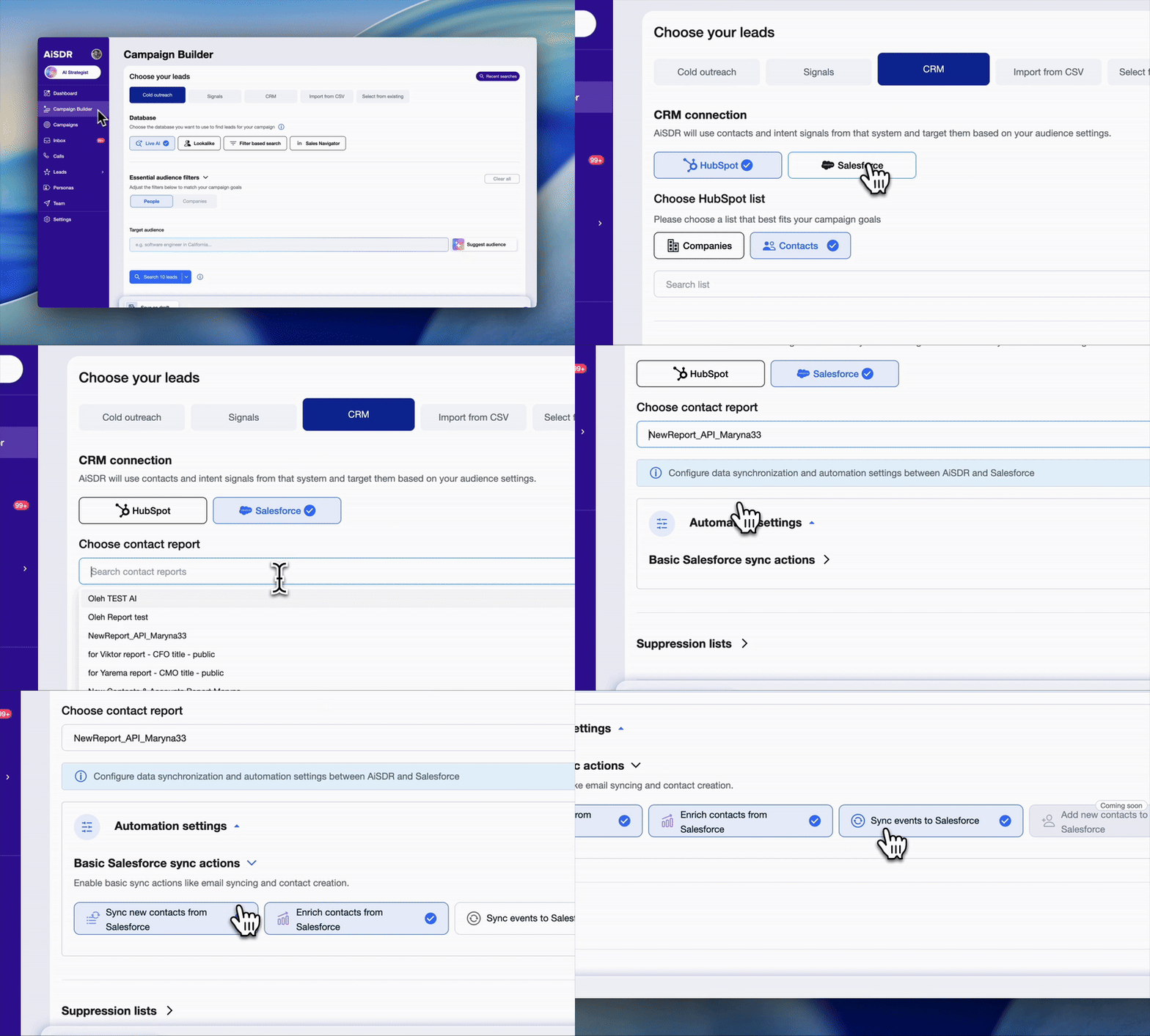
While all of our updates over the past month are important, this is arguably the biggest one.
Salesforce was one of our more requested integrations, as users have been asking when AiSDR would tap into their Salesforce CRM the way it does with HubSpot.
And it makes perfect sense.
Your CRM holds everything that makes outreach personal: meeting notes, call summaries, opportunity details, email threads…
Well, your Christmas wish has come true. AiSDR now syncs with Salesforce 🥳
Sync depth
Every time a contact syncs from Salesforce, AiSDR automatically pulls their complete activity history:
- Notes
- Meeting activities
- Call records
- Email threads
- Opportunities
- Cases
AiSDR uses all of this to write researched messages grounded in real conversations, which is what true personalization is all about.
Lights. Salesforce. Action!
Picture this: A lead had a discovery call 3 weeks ago. The notes say they’re evaluating solutions in Q1 and are worried about implementation timelines.
AiSDR reads those notes and writes a follow-up that acknowledges the Q1 timeline, addresses implementation concerns with a real example, and suggests next steps that match their buying stage.
Context = personalization. And, as a result, higher conversion.
🔗 Your HubSpot just got LinkedIn superpowers
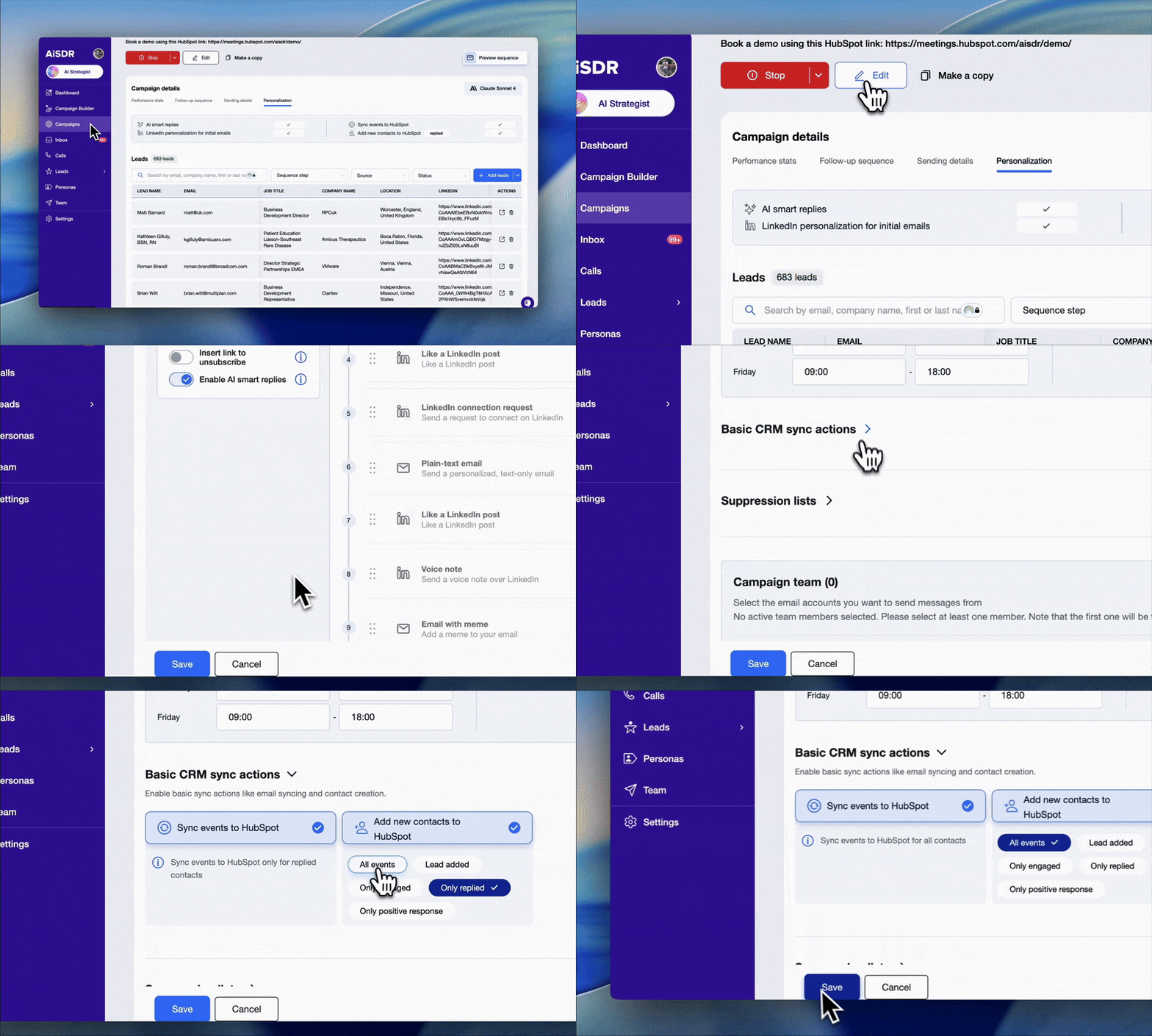
Don’t worry, HubSpot users. We didn’t forget about your Christmas wish 😏
AiSDR already syncs email events to HubSpot. But here’s the thing: email + LinkedIn converts 2-3x better than email alone.
So we just closed the gap.
Now you can toggle on “Sync events to HubSpot” in your Campaign Builder and choose which LinkedIn activities to sync (all events, engaged only, replied only, or whatever else you need).
Everything shows up in HubSpot’s Notes tab, right alongside your email threads.
The payoff
Before: A lead could ignore 2 emails, engage with your LinkedIn message, and reply asking about pricing. But your HubSpot record would only show 2 unopened emails.
An incomplete picture.
Now: You see the full buyer journey. That way, you can build workflows and reports using LinkedIn activity data, track what works, and double down on what converts.
📧 Faster email enrichment: The update you won’t see (but you’ll feel)
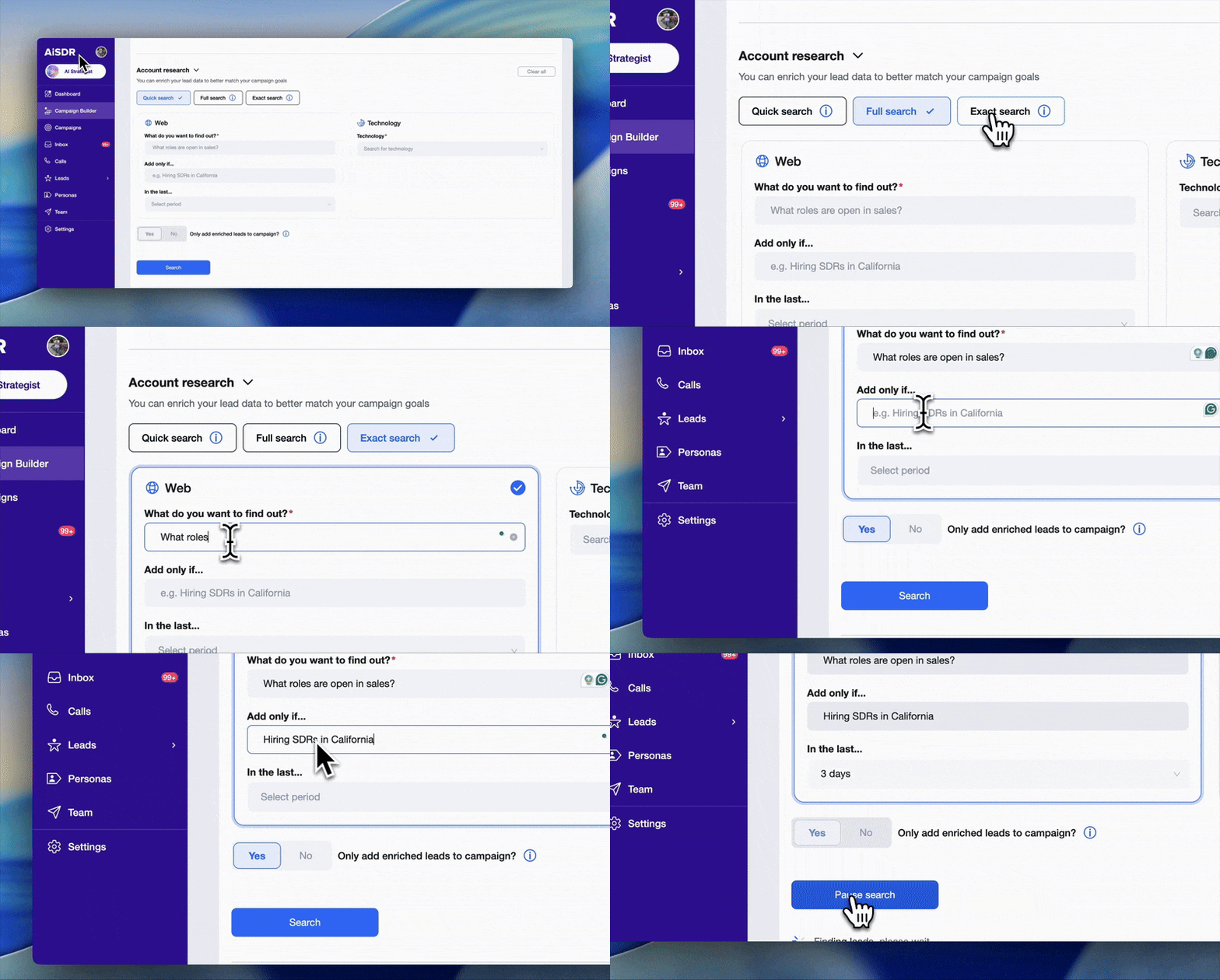
Not every update is flashy. But this one will make you feel like Flash ⚡
We made email enrichment faster and more accurate under the hood. You’ll see campaigns launch quicker, messages go out swifter, and personalization hit sharper.
Faster data → better personalization → higher reply rates.
Blog Spotlight: AiSDR 2025 Year in Review
(Read the full blog → AiSDR 2025 Year in Review)
We shipped over 50 features in 2025.
Some were massive (AI Strategist, Campaign Builder, Sequence Builder, AI account scoring). Others were minor improvements for streamlining outreach (e.g., making important buttons more visible).
Check out our CEO’s Year in Review for the full story:
- Features shipped
- Lessons learned
- AiSDR growth numbers
You’ll even get a sneak peek into what’s coming next.
🔨 Small fixes. Big difference.
Big features get headlines. Small fixes make your life easier. Here are the most recent ones:
💾 Save your campaign at any stage
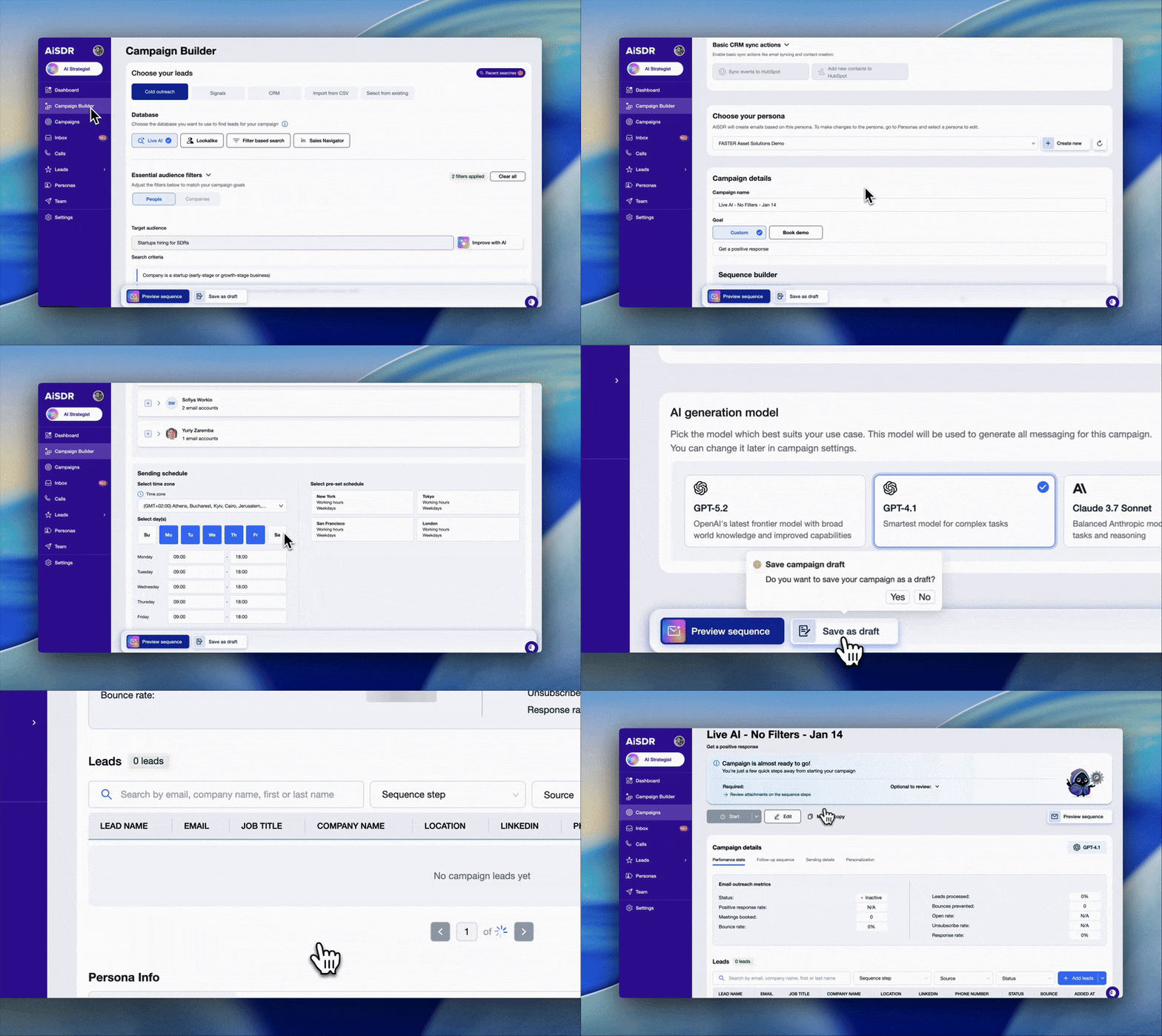
Video gamers out there, you know the feeling: You’re in the middle of a quest when suddenly you need to step away cause dinner is ready, but you can’t save until you finish. Worst-case scenario, you leave and are forced to restart from the very beginning.
It used to be the same way when building campaigns.
Yeah, we know how annoying it can get 😑 That’s why we’ve released this update. The “Save as Draft” button now lives in every Campaign Builder tab, always visible, at any stage. Build thoughtfully instead of rushing to finish.
📨 Only see the replies that matter to you
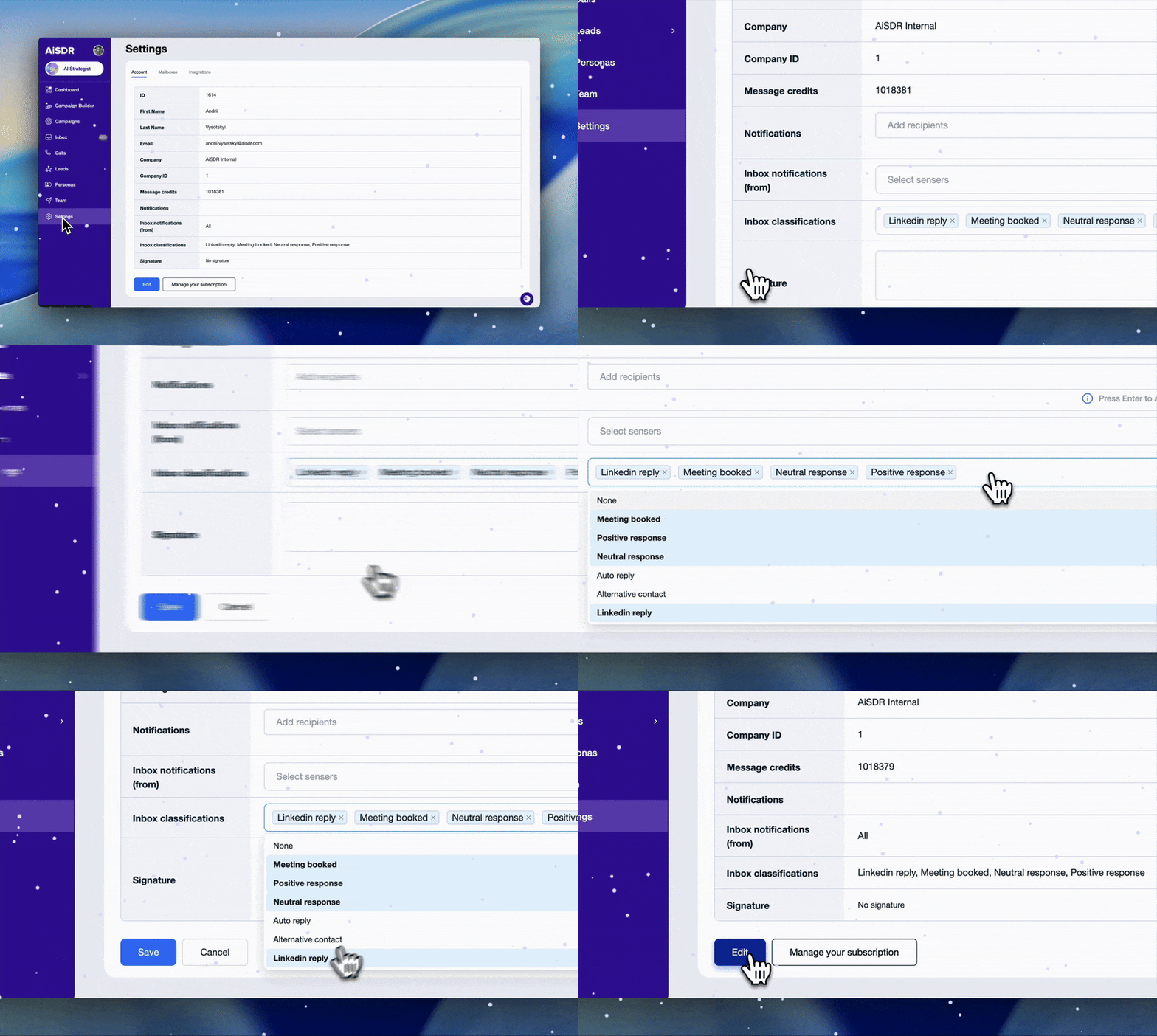
Here’s a little story for you:
47 unread replies are sitting in your inbox. Somewhere in there, a lead asked for pricing yesterday. Another wants a demo next week. You start scrolling… and scrolling… and scrolling.
Not ideal.
Now you can filter your daily inbox summary by sender or classification. Only see what matters to you. Each team member gets their own conversations and important deals get the proper attention.
✍️ Teach AiSDR like you’d teach a person
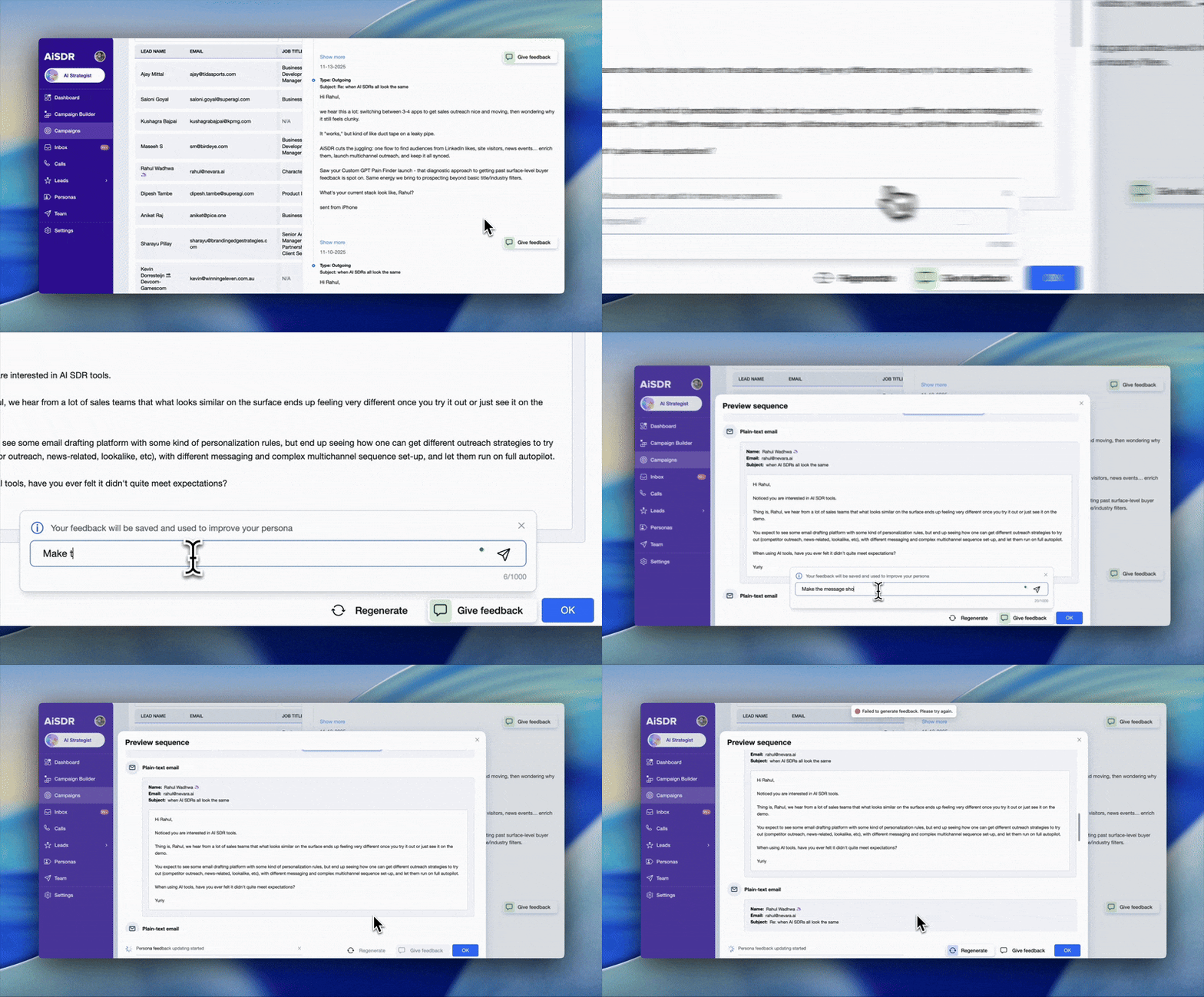
Adjusting AiSDR’s tone used to take time and a bit of back-and-forth. Now you just leave feedback directly on any message, like “Use shorter sentences” or “Lead with the pain point.”
Your feedback updates AiSDR’s instructions instantly and applies across every channel: Cold emails, replies, follow-ups, and LinkedIn DMs.
The result?
- Better messaging
- Higher reply rates
- More meetings booked
Even better: AiSDR gets sharper with every correction, so your messaging keeps improving 🧠
Blog Spotlight: AiSDR Wrapped 2025
(Read the full post → AiSDR Wrapped 2025)
Here’s one for you. Which stat matters more for a startup: Features shipped or pizzas devoured? 😉
Spoiler: Both!
We’re talking:
✅ AI-generated memes that closed deals
✅ Features we shipped every week
✅ Proof that AI and humans make a pretty good team
Check out AiSDR Wrapped for the chaos and the metrics that mattered in 2025.
Come for the coffee ☕
Stay for the pizza 🍕




See the new Salesforce integration and more product updates
 Summarize with
 ChatGPT
 Claude
 Perplexity
 Grok
Grok 
 Google AI