
Guide to Lead Generation Pricing for High ROI

To keep your pipeline moving at a healthy pace, you need a steady stream of leads that aren’t burning all the cash in your bank account.
But for that to happen, you need to know how much you’re forking out for your leads, as well as which solutions will help you optimize your lead generation.
Lead generation pricing models
Do you know how much your leads cost?
You should. But if you don’t, here’s a quick refresher on different ways to find out.
Cost per lead
Cost per lead (CPL) is straightforward — you just divide your total spend on a lead generation campaign by the number of leads you get.
Total cost of lead generation / Number of leads = CPL
If you spend $6,000 on a campaign and get 73 leads, your CPL is $6,000/73 = $82.19.
CPL is an easy way to calculate the costs of lead generation. But it’s not the only one.
Plus, CPL has its drawbacks. Namely, it can be misleading as it factors in the raw number, not buyer intent. You might be generating a ton of cheap leads, but if they lack high intent and aren’t converting into sales, it’s a waste of time and resources.
CPL also ignores conversion costs. Even if your CPL is low, if leads need a lot of additional nurturing, your cost efficiency plummets.
Cost per qualified lead
Cost per qualified lead (CPQL) is almost identical to CPL. The only difference is instead of dividing your total spend by the number of leads you get, you’re dividing by qualified leads.
Total cost of lead generation / Number of qualified leads = CPQL
This helps you account for lead quality over quantity.
Cost per appointment
Cost per appointment (CPA) is measured by dividing your lead generation spending by the total number of appointments made. The formula is even more straightforward than CPL and CPQL because appointments are easier to quantify.
Total cost of lead generation / Total number of appointments = CPA
For CPQL, you have to determine how you’ll score leads and what makes them qualified. With CPA, you only need to count the number of prospects who booked a meeting with your sales team.
CPA will usually be higher than CPL/CPQL as leads are likelier to be near the bottom of the funnel. But because you’re dealing with highly qualified leads who are closer to making a purchase, your ROI will usually be higher, too.
Free guide
Bulk data purchasing
Since you are paying for a pool of data, you have to shell out a significant amount of money. But when you divide that dollar amount by the number of leads you are getting, you’ll see that this is one of the most affordable options.
Prices will usually be higher for specific demographics and behavioral data. The information may come from various sources, including private firms, public records, websites, and social media profiles.
The leads you get from bulk data purchasing are usually cold, but you can warm them up with good nurturing. It also helps to work with a reliable database provider such as ZoomInfo or RocketReach.
Retainer
Finally, you can outsource lead generation to a marketing agency. Agencies usually charge a monthly fee, regardless of how many leads they deliver. They also often offer other services like SEO, content marketing, and social media management.
These are four ways to get an idea of how much your leads are costing you, but plenty more things influence what you pay.
Comparison of different lead generation pricing models
The five lead generation pricing models differ in their costs, strengths, and weaknesses. Here’s how they compare to each other.
| CPL | CPQL | CPA | Bulk data | Retainer | |
| Cost | $30-400 per lead | 1.5-2 x CPL for the same niche | $150-200 per action | <$1 per contact for raw lists | $3-20K per month |
| Sweet spots | High volume; simple funnel and cost structure | High lead quality | High ROI; minimal nurturing time | Very high volume; outreach at scale | Hassle-free |
| Watch-outs | Variable lead quality; long nurturing time | High cost; disputes over the qualification bar | Fraudulent data; risk of no-shows and reschedules | List decay, bounce rates, compliance risks, lengthy nurturing process | Not meeting the quota; delivering dead-end leads; lock-in contracts; add-on fees |
| Possible hidden costs | Email warm-up tools, sales team time | Accommodating reschedules; no-show replacement fees | Deliverability fixes, legal review, sales team time | Ad-budget passthrough, contract exit penalties | |
For small businesses, we recommend picking the CPL or CPQL model for a start. They have clear unit economics and don’t require a big upfront payment. CPQL costs more at the start but pays back later as you convert more leads into customers.
The CPL and bulk data model generally work better for B2C businesses as they keep customer acquisition cost (CAC) low on a high volume. For B2B companies, CPQL and CPA provide better-quality leads and higher ROI. Retainers also work when you need an external team to handle your lead generation.
Whatever lead generation model you choose, the cost per lead can vary greatly depending on your industry.
Average cost of a lead by industry
The average CPL across industries stands at $198. Some B2C markets fall on the low end, with $10-30 per lead, while B2B sectors with high deal value take the high end, such as:
- SaaS: organic leads come at around $164, paid leads at $310 (although the cost hugely depends on the type of software you sell)
- Financial services: $600-800 per lead
- E-commerce: $80-100 per lead
For niche B2B markets with naturally smaller customer pools, you’ll typically have to pay more per lead. What matters is that you have a CAC/LTV ratio equal to or above 1:3.
For example, a cybersecurity vendor spends $600 on each of five leads, then strikes a $50,000 deal with one of the leads. That gives a ratio of $3,000/$50,000 = 0.06, which is well within the healthy margin.
Industry is an important factor that affects lead pricing, but not the only one, as there’s more at play.
Factors that influence lead generation pricing
Understanding what drives lead expenses will help you control them better and ensure you’re actually getting a return on your investment.
Here are the top things to consider.
Industry type
Your industry determines whether the buyer’s journey will be straightforward, the levels of competition, and the regulatory standards you’ll have to conform to.
- Complexity of the buyer’s journey – The more complex your industry’s sales cycle, the more effort it takes to capture leads, which pushes costs up. Software is one example. IT sales deals take an average of five decision-makers and six months to evaluate a software product. As a result, software buyers are likely to seriously consider only a few vendors. The average shortlist includes just four providers.
- Competition – Market saturation also drives up lead prices. In software, dozens of companies may offer a similar type of tool, and buyers are usually highly discerning. It takes a lot to catch their interest, so warm leads don’t come cheap.
- Company size – If your potential clients are large companies, the real decision-makers won’t easily squeeze appointments into their busy schedules. Turning them into leads will take a lot of effort (and cash).
- Regulations – Regulations like GDPR and CCPA have tightened the restrictions on data use. Businesses need to fully disclose how they are using customer data. Many adopt a consent-based approach, where prospects provide information of their own volition. This implies spending on high-quality, gated content to collect contact details. The high cost of collecting customers may impact lead pricing.
The good news is that if leads do cost more in your industry, you’ll also be more likely to see higher ROI to balance it out.
Lead generation methodology
Your choice of lead generation methodology will also determine the costs of your campaign.
- Inbound marketing – Instead of directly reaching out to prospects and their data, you can draw them in. Inbound campaigns take a long-term approach, impacting the prices of leads.
- Outbound prospecting – With outbound, you’ll be directly tapping prospects with cold calls, outreach emails, and direct mail. Although this speeds up the lead-gathering process, it still involves many moving parts that affect pricing.
- Paid advertising – Expenses for Google Ads, LinkedIn sponsored posts, and Facebook News Feed ads will depend on how much exposure you’d like to have. More compelling content and targeted audience demographics will boost your ROI with these options.
The best approach is a mix of these three methodologies. However, you’ll need to decide what works best for your case, and you’ll need to carefully plan your lead generation to prevent budget creep.
Lead quality
Leads from bulk purchases or low-touch engagement may be cheaper, but they’re also much more likely to be cold. You’ll have to pour in more resources to warm them up.
High-quality leads tend to be more expensive to acquire, which reflects the high-touch engagement and resource-intensive marketing campaigns that go into them. But since warm leads are further along the sales pipeline, they’ll take fewer interactions — and less budget — to convert.
Geography
Lead costs can also depend on where your target customers are located.
- If you plan to capture leads in a location with vendor saturation, you can expect higher costs.
- Ad agencies may also charge more for their services and ad spaces in some geographical areas.
- The costs of capturing leads can also depend on the regional tier. Country tiers categorize regions based on their economic conditions and people’s spending habits. For example, Tier 1 countries, such as the US, UK, and Australia, would be a source of leads with greater purchasing power, which makes them pricier (but you can also expect bigger payouts).
Business overhead & operational costs
There are plenty of things going on in the background that will push up your lead generation investment. Make sure you take them into account.
- Resources for daily operations – Your sales and marketing teams are using computers, possibly office space, and utilities as they complete their day-to-day lead generation tasks.
- Salaries – As your requirements go up, the more you’ll pay for people to produce high-quality articles, post on social media, make cold calls, send outreach emails, and put together ad campaigns.
- Software – CRM, AI content generators, and email automation tools can all save you time and money, but they’ll also add to your raw campaign costs.
Considering all these elements will give you a more complete picture of what your leads really cost.
Customer value
It takes a lot to convince businesses to purchase big-ticket SaaS products and software development contracts because of the amount companies are investing in them. As a result, you have to pour more time and resources into catching the decision-maker’s attention. This translates to higher marketing expenses.
Bottom line: many of the things that drive the costs of generating leads are unavoidable. But you can still protect your budget by investing in the right software and using it well.
How to determine the cost of a lead so as not to overpay?
Investing in premium leads makes sense in most B2B markets, but that doesn’t mean you have to overpay. As long as better leads speed up your pipeline velocity and drive ROI, their cost is justified.
Use these formulas to calculate ROI for different pricing models:
- CPL/CPQL/Bulk: (Revenue × Close rate) ÷ Total lead cost (generation + nurturing)
- CPA: (Revenue × Show rate × Win rate) ÷ Appointment fee
- Retainer: Revenue ÷ (Monthly Fee + Ad Pass-throughs)
Close/win rate is the most important metric to track. For example, paying $120 per lead that converts at 15% beats a $30 per lead with 2% conversion by miles. Other useful metrics are:
- CAC: the all-in price of a customer
- Payback period: months until the profit margin repays CAC
- Lifetime value (LTV): revenue you’ll earn per customer
- LTV:CAC ratio (3:1 is good, 5:1 is excellent)
- Pipeline velocity: time to close a deal
- Conversion by stage (useful to spot leaks fast)
By analyzing these metrics, you’ll always know where you stand with respect to lead cost: is it too high, or just the right amount?
How to reduce the cost of acquiring leads without losing quality?
What if you do the math and find out you’re actually overpaying for leads? Here’s how to fix it without giving up on lead quality:
- Narrow your focus by slashing audiences that never buy and turning to those who look like your existing customers
- Set hard filters, such as negative keywords, domain blocks, and gating questions, to keep your funnel clean from irrelevant leads
- Group your leads by buyer intent (high, medium, or low) and prioritize high-intent ones as they’re most likely to buy
- Mix channels: cross-platform campaigns (email + LinkedIn) generally deliver cheaper leads than single-channel ones
- Go organic, using content marketing, SEO, and online communities to generate high-quality leads at a fraction of the cost
- Automate lead scoring and outreach to trim spend and increase response rates at the same time
These strategies can help you pull just as many, or even more, high-quality leads into your funnel while spending less. Automation is especially promising in this regard.
Automation and lead generation pricing
The priciest item in the CPL breakdown is the hours that your sales team spends nurturing the lead. A sales AI can automate your nurturing, delivering quality interactions, and scale. The price goes down, while conversions stay the same or increase.
Here are a few examples of how AI tools can help:
- Kaspr pulls GDPR-compliant data from 150 sources; no more need for manual research
- 6sense and HubSpot AI Breeze score buyer intent automatically, so your team can focus on the leads who are ready to become customers
- AiSDR delivers 1,200 deeply researched outreach messages at about $0.75 each (cutting costs by 3x) and can surface any publicly available company or contact-level information for qualification. That means it effectively replaces both Kaspr and 6sense.
What makes AI outreach more profitable is:
- Cost: $900 per month (AiSDR fee) vs $4,000-6,000 (an SDR’s monthly salary)
- Speed: A few days to set up an AI tool vs 3-6 months to onboard and train a sales rep
- Time: AI looking up data in seconds vs hours and days spent on research
- Number of prospects: Hundreds engaged in meaningful conversations in parallel
- Scalability: With AI, you scale without paying more or hiring more people
- Response rates: AI tools drive them by reaching leads more effectively
- Lack of human error: AI keeps consistency, while humans can make costly mistakes
- Near-zero delays: Automation keeps the process moving in real time
Onboarding AI is a feasible alternative to expanding your sales team or outsourcing your lead generation to an agency. AI tools can give you a ramp-up just as outsourcing does, but at a far more affordable rate.
AI-augmented in-house team vs outsourcing
Outsourcing to a lead generation agency is costly but still more practical than hiring new people. Here’s how it compares with augmenting the in-house team with AI.
| Outsource provider | In-house team (no AI) | In-house team with AI | |
| Cost | $4-10k per month (retainer fee) | $50-70k per year per SDR (salary + benefits) | <$1,000 per month |
| Speed to launch | 2-4 weeks | 3-6 months to hire and train | <1 week to set up |
| Scalability | Can ramp up/down month-to-month | Needs a new hiring cycle | Can ramp up/down within days |
| Specialized skills | Brings specialized knowledge from multiple clients | Each new skill requires significant training investment | Automates repetitive skill-based tasks and augments human expertise |
| Control | Needs tight playbooks and reviews | Full control but more effort | Needs onboarding setup and prompting, but beyond that, full control |
In short, outsourcing wins on speed, scalability, and expertise over an in-house zero-AI team but can’t beat a team with AI. Meanwhile, outsourcing brings certain risks:
- Mismatching leads
- Brand misalignment, off-tone communication
- Hidden fees (extra charges for data, ads, or campaign tweaks)
- Data compliance issues
- Vendor lock-in
You can avoid or mitigate these by:
- Setting the ideal customer profile (ICP) filters upfront
- Checking and approving message templates
- Demanding an itemized quote and capping variable costs
- Choosing a vendor with documented processes and EU/UK/US compliance
- Keeping joint dashboards and record playbooks so you aren’t looped out
Even better, you can augment your team with AI and get the benefits of speed and scalability without the pitfalls of conventional outsourcing.
Let’s see which pricing models are popular among AI vendors so you can better understand the feasibility of “hiring” AI.
Lead generation pricing examples
Great sales software keeps campaign costs down by helping you capture and nurture leads, assess campaign performance, and understand where you can improve.
Here’s how three key tools shape up regarding features and pricing.
AiSDR
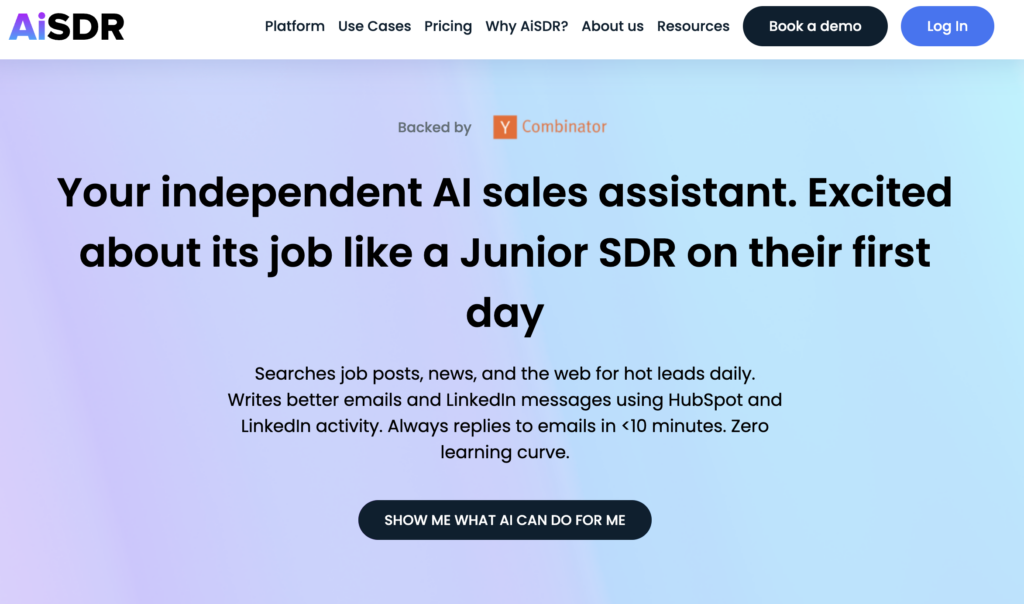
Powered by generative AI, AiSDR can automate the full lead cycle, from capturing leads through personalized nurturing to booking a demo. A subscription gets you access to quality bulk lead databases and proven AI power for lead nurturing.
AiSDR features:
- AI Strategist – AiSDR suggests 5 high-impact sales plays you can set up and run within a few clicks, speeding up your time to value.
- Integrated lead database – AiSDR gives access to more than 700 million profiles without having to open separate accounts or pay additional fees.
- Lead capture – Easily filter profiles based on deep signals such as hiring intent, recent funding, website visits, and tech stack.
- Personalized outreach – AiSDR automatically personalizes lead communications based on information from your database, HubSpot properties, or a prospect’s three most recent LinkedIn posts.
Pricing: All-in-one pricing starts at $900 per month for 1,200 messages via LinkedIn and email. You also get unlimited leads, text messages, 24/7 customer support, and mailbox warm-up at no extra cost.
Book more, stress less with AiSDR
HubSpot
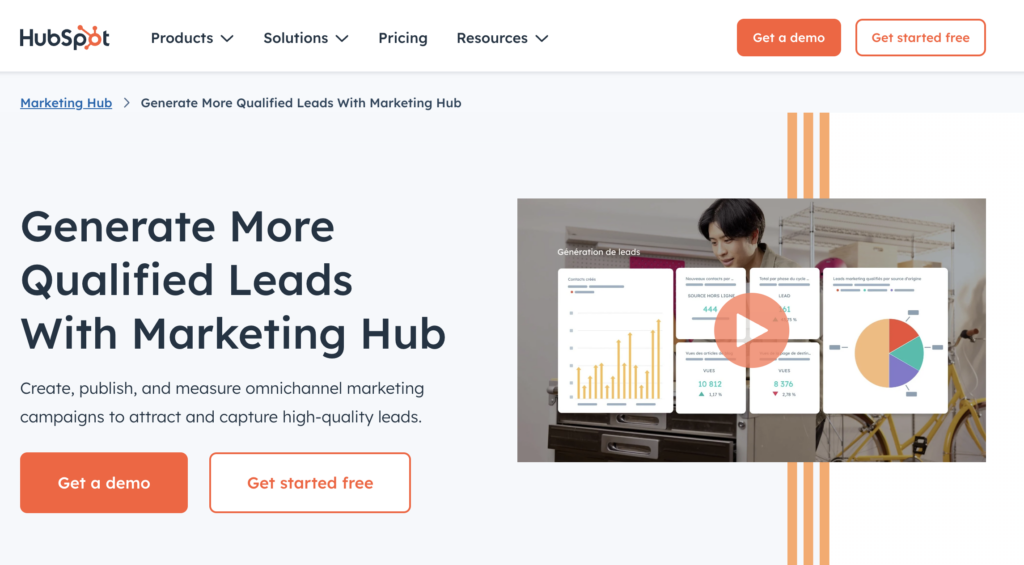
HubSpot’s marketing hub brings customer insights and automated tools for capturing and managing leads under one roof.
HubSpot features:
- Lead generation. HubSpot offers B2B sales tools for creating forms, landing pages, and ads that capture new leads.
- Lead management – HubSpot’s personalized prospecting workspace gives sales reps a single view of their pipelines, making it easy for them to know where prospects are in the buying journey.
- Analytics and reporting – Built-in analytics and reporting let HubSpot users track offers and ads, making it easy to see what’s working.
Pricing: HubSpot’s paid plans start at $800 per month. This gives you access to lead scoring, custom reporting, and omni-channel sales automation tools.
Salesforce
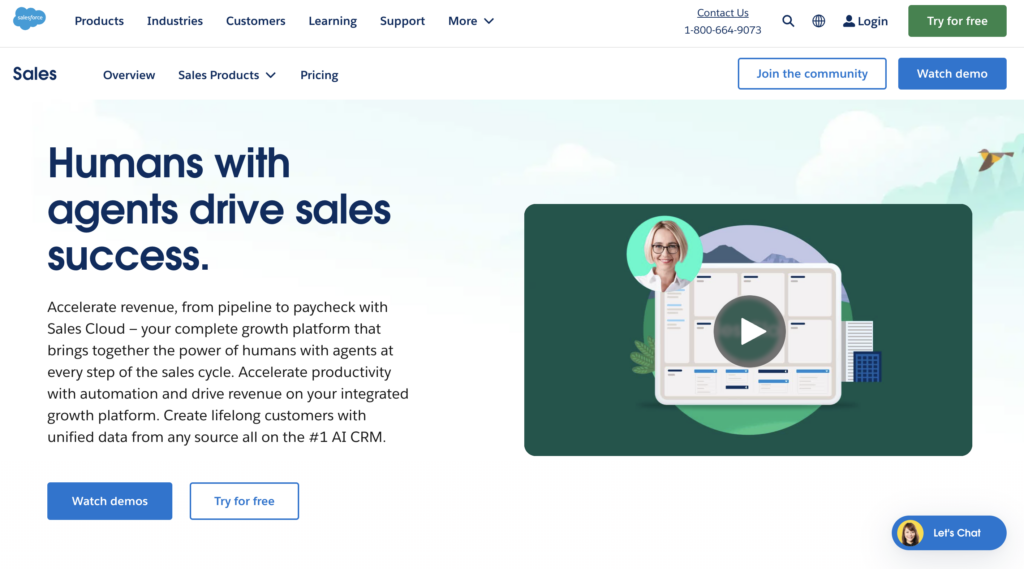
Salesforce is cloud-based CRM software that provides access to unified profiles and built-in analytics, allowing sales and marketing teams to track and optimize the entire customer lifecycle. Built-in lead qualification allows reps to focus their resources on the more promising ones. This can significantly bring down costs to boost ROI.
Salesforce features:
- Customer data platform – Salesforce provides access to centralized data, allowing marketers to proactively manage every touchpoint across the customer lifecycle.
- Marketing analytics – Salesforce’s intelligent marketing analytics platform makes it easy to identify opportunities to optimize campaign performance and increase cost savings.
- Lead scoring – Salesforce features Einstein, an AI tool that analyzes your data and scores leads, enabling your teams to identify qualified leads and allocate resources more productively.
Pricing: The starting fee for Salesforce’s marketing suite is $1,250 per month. This provides access to tools for lead generation and management, as well as campaign reporting and insights.
Bear in mind that a combination of tech tools works best. For instance, you can integrate your HubSpot customer database into AiSDR for AI-driven lead qualification, email outreach, lead nurturing, and call scheduling.
Whatever AI tools you adopt, you still need to watch out for some pitfalls when choosing a pricing model.
Common mistakes when choosing a lead generation pricing model
It may seem easy enough, but there are still pitfalls that can lead to unnecessary costs:
- Chasing the lowest CPL: It often indicates bulk, unqualified data
- Ignoring hidden fees that can add 20-30% to the quoted rate
- Paying for quantity over fit: You might end up spending more by chasing irrelevant leads
- Skipping your team’s work hours in the calculation
- No “qualify” clause in the SLA
Cheapest leads are not always the best deal. Just the opposite: they often cost more when you factor in the hours your team will spend on nurturing these leads, many of whom are a poor fit.
If a $50 lead closes at 1% and a $200 high-quality lead closes at 10%, you’ll have to spend $5,000 on cheaper leads to generate the same revenue you’d get by spending $2,000 on qualified leads.
To assess the real effectiveness of a lead-gen supplier, check for the following:
- Conversion proof (must be at or above 5% for ICPs like yours)
- Bounce rate (below 5%)
- Hidden costs (you should get a transparent sheet that explains their pricing, no later billing for any extras)
- Replacement policy for invalid leads (the vendor should change them 1-for-1 within 7 days)
- Reporting format and frequency (look for real-time shared portals, not monthly PDF dumps)
A trustworthy vendor will tick all these boxes.
Subscribe to our Newsletter



Learn the different pricing models, factors, and software that can influence your lead generation costs
 Summarize with
 ChatGPT
 Claude
 Perplexity
 Grok
Grok 
 Google AI