
AiSDR Product Spotlight #49: Dashboard Alerts, Custom Dashboard, & Campaign Performance Tracking

Building great outreach is a balancing act.
You’re constantly juggling engagement, adding leads at the right pace, fixing underperforming steps, and spotting issues before they jeopardize pipeline.
And when you’re running campaigns across multiple channels, personas, and sequences, staying top of everything can feel like piloting a plane with foggy or broken instruments.
You don’t need just data.
You need visibility. Early warnings. Clear signals. A dashboard that tells you where to look before you even know something’s off.
That’s what this week’s AiSDR Product Spotlight delivers.
Dashboard alerts
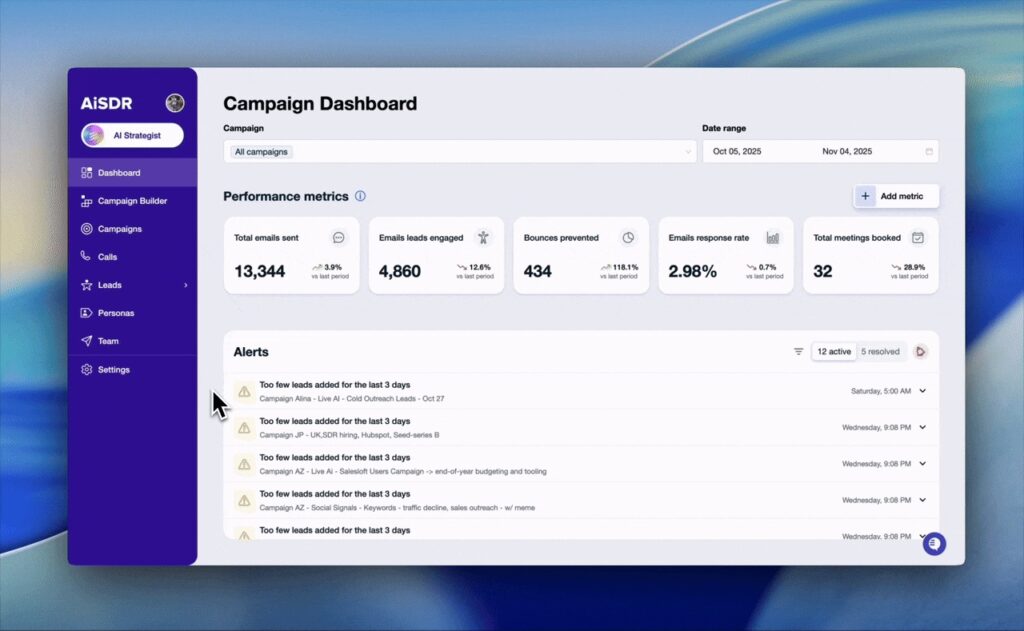
This is a brand-new alert system designed to make sure no campaign hiccup slips under your radar.
What alerts do you get?
AiSDR surfaces these alerts as it detects them so you can take action before they stall campaign momentum.
Here are a few of the alerts you can get:
⚠️ Too few leads added when your campaign isn’t getting enough fresh prospects.
❗ Sequence bottlenecks when engagement drops sharply between steps.
ℹ️ Low positive response rates when campaigns run too long without traction.
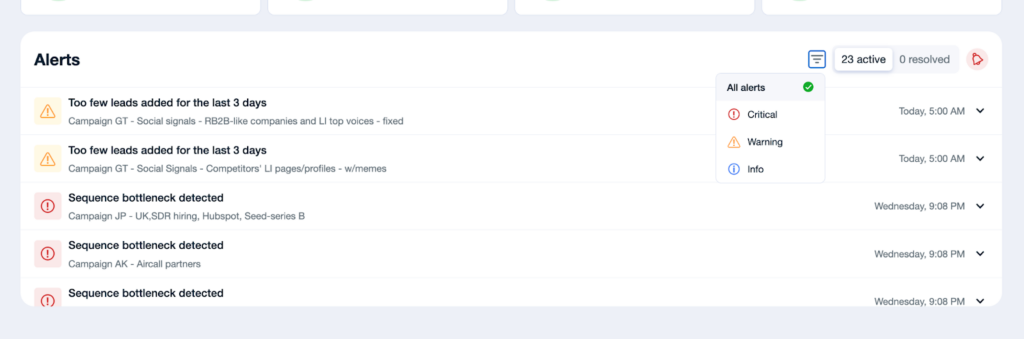
Example
Picture this: It’s Monday morning. You open AiSDR and spot a yellow ⚠️ alert – Your top-performing campaign isn’t pulling in enough new leads.
Within minutes, you check and find that your prospecting filters were too narrow. You adjust it and hit refresh.

By lunchtime, the campaign is back on track and your momentum never breaks.
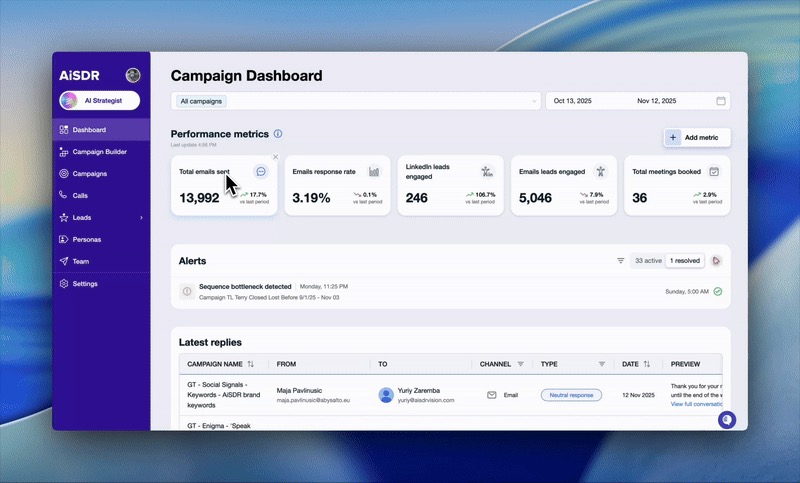
Customizable dashboard
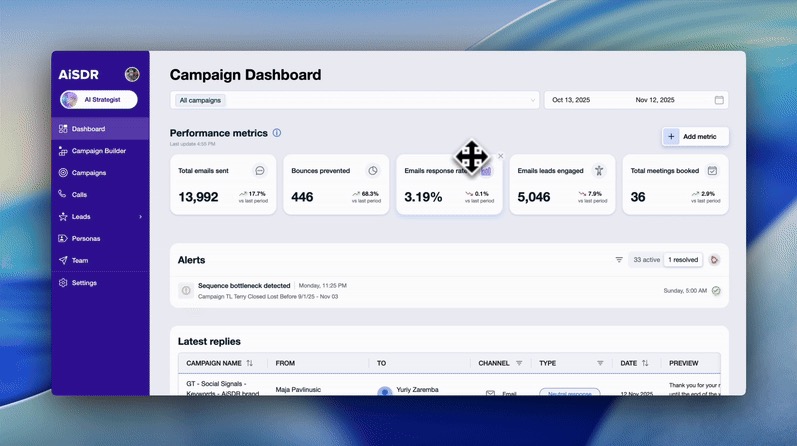
If you’ve ever looked at AiSDR’s campaign dashboard and thought: “I wish I could move this… hide that… bring this metric to the top…”
This update is for you.

Different teams care about different signals:
- Email-heavy teams track deliverability.
- Social-first teams watch LinkedIn touches.
- Managers need volume metrics.
- SDRs need insights into specific steps.
The last thing you need is the headache from campaign metric overload.
That’s why our new customizable dashboard lets you build your performance view your way:
🧩 Add more metrics or remove ones that clutter your view
📈 Track every critical campaign metric in real time, and compare it to the previous period
⚙️ Customize your view to focus on what success means for your team
Example
Imagine you’re Alex (a sales manager), and you’re checking your dashboard over morning coffee.
The Emails sent metric shows a green arrow with a 3.9% lift.
Curious, Alex checks the date range and sees AiSDR comparing the most recent 30 days to the previous 30, surfacing a trend that would’ve otherwise gone unnoticed.
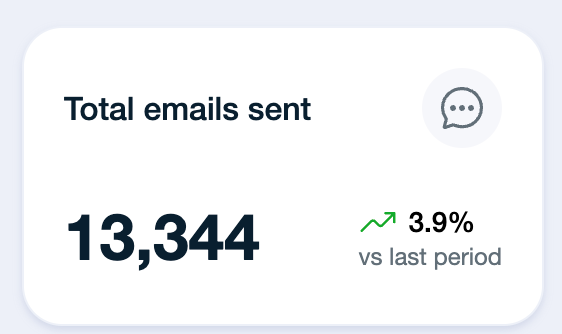
That small detail helps Alex fine-tune sending volume and keep engagement steady without overloading the pipeline.
Revamped campaign performance tracking
AiSDR users even get a new way to compare campaign performance across all active (or paused) outreach motions.
One view to manage them all
You’re no longer limited to your top 5 campaigns.
Every campaign, every channel, and every metric now lives in one unified view.
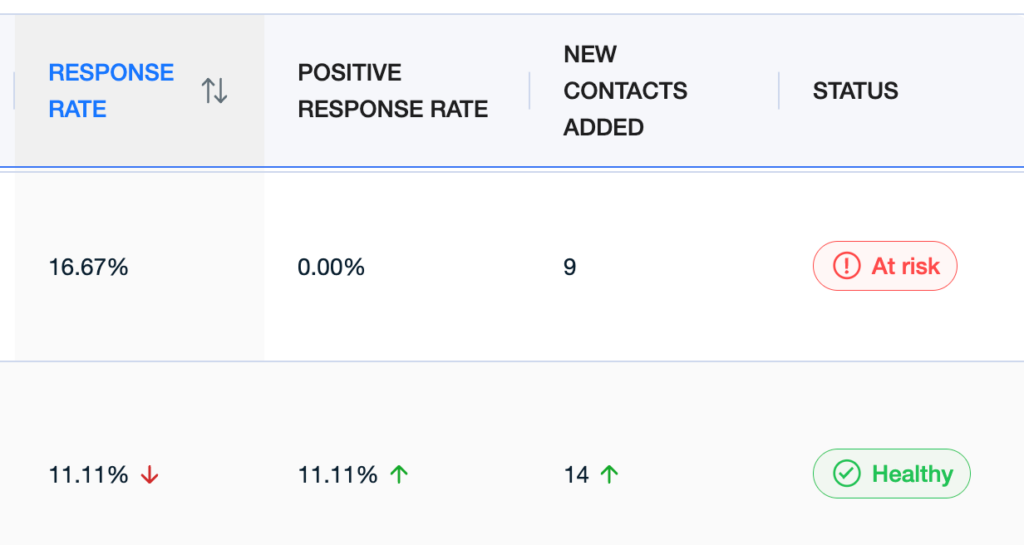
This new layout gives you:
- A complete bird’s-eye view of your outreach traction
- Clear comparisons across campaigns
- Faster recognition of what’s working and what’s not
- Insights you can act on (without hunting through multiple tabs)
Blog Spotlight: 5 Steps to Building a Revenue Engine with ICPs and Personas
(Read the full blog → Build your revenue engine)
Most sales teams drown in leads but starve for qualified pipeline.
However, the solution isn’t more leads. It’s better targeting.
Check out 5 steps you can take to fix your targeting and design a revenue engine that finds and books qualified meetings for you.




Customize your AiSDR campaign dashboard to focus on what you want
 Summarize with
 ChatGPT
 Claude
 Perplexity
 Grok
Grok 
 Google AI