AiSDR Product Spotlight #48: HubSpot lead discovery & LinkedIn comment sentiment

Prospecting can sometimes feel like following a treasure map with half the landmarks missing. You know there’s gold somewhere in your CRM, but the trail keeps disappearing just before you reach the X.
Sales teams keep tweaking filters and chasing signals that look promising but lead nowhere. The right people stay hidden, and the pipeline never feels full enough.
And you just keep dreaming that one day you’ll find them…

This week changes that. When your tools can point you straight to the people who actually want to hear from you, prospecting gets a lot more precise.
🎯 Use Live AI to surface leads from your HubSpot
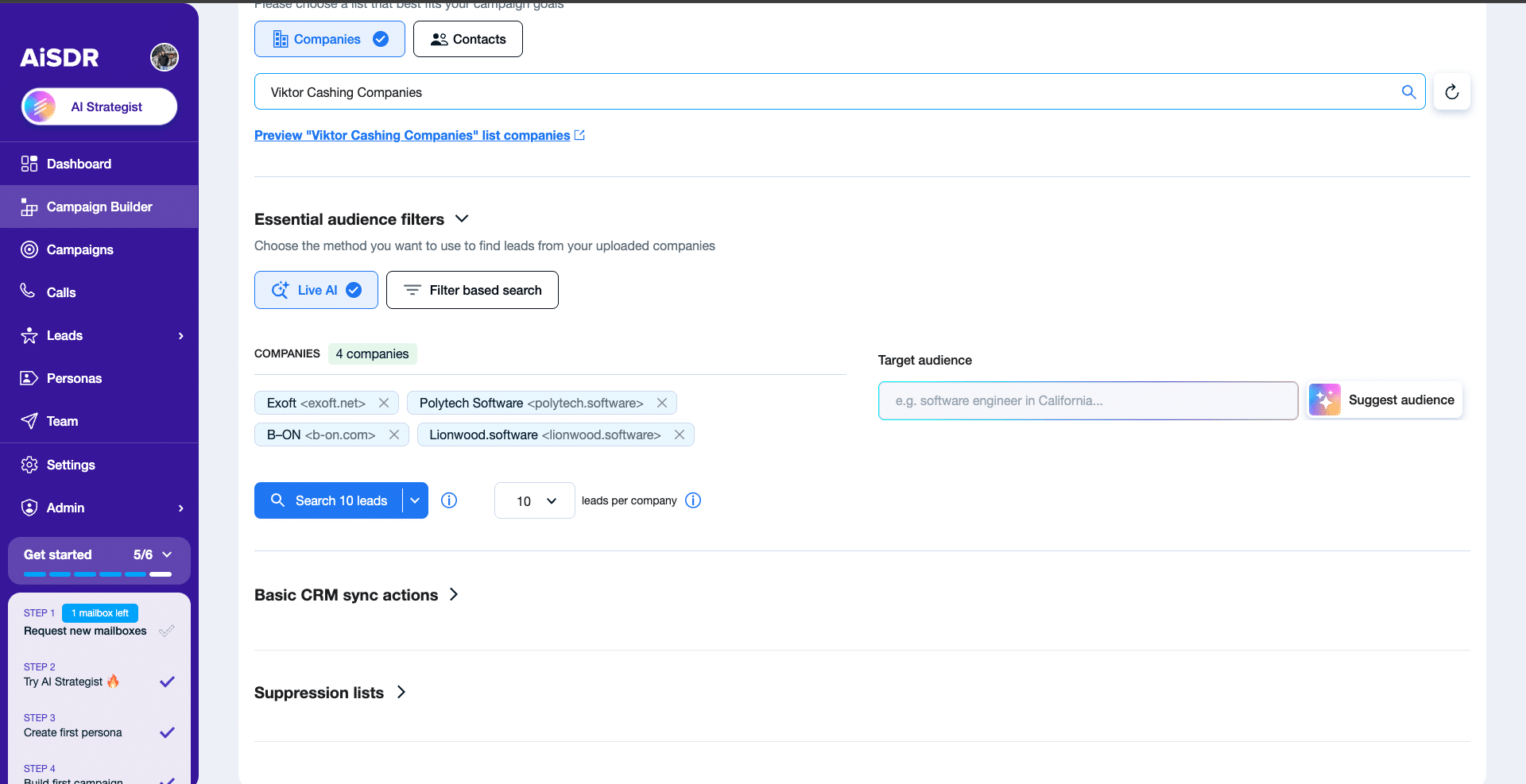
This update is all about turning the company data you already have into active outreach faster.
HubSpot company lists hold some of your best opportunities. They capture every account your team is tracking, giving you a solid foundation for your next campaign.
Now you can connect a list of companies directly to AiSDR, set filters like job title, seniority, or location, and let our Live AI automatically find verified contacts that match your criteria. AiSDR then pulls those leads straight into your campaign so you can move from synced data to outreach in one smooth flow.
How it helps
- Work faster: Go from CRM data to qualified leads in minutes.
- Stay focused: Stop juggling filters and tabs as everything happens in one flow.
- Fill the pipeline: Turn your existing company lists into fresh, conversation-ready opportunities.
Think of it as giving your HubSpot data a direct line to outreach, eliminating extra steps and saving time.
🧲💬 Filter LinkedIn comments by sentiment
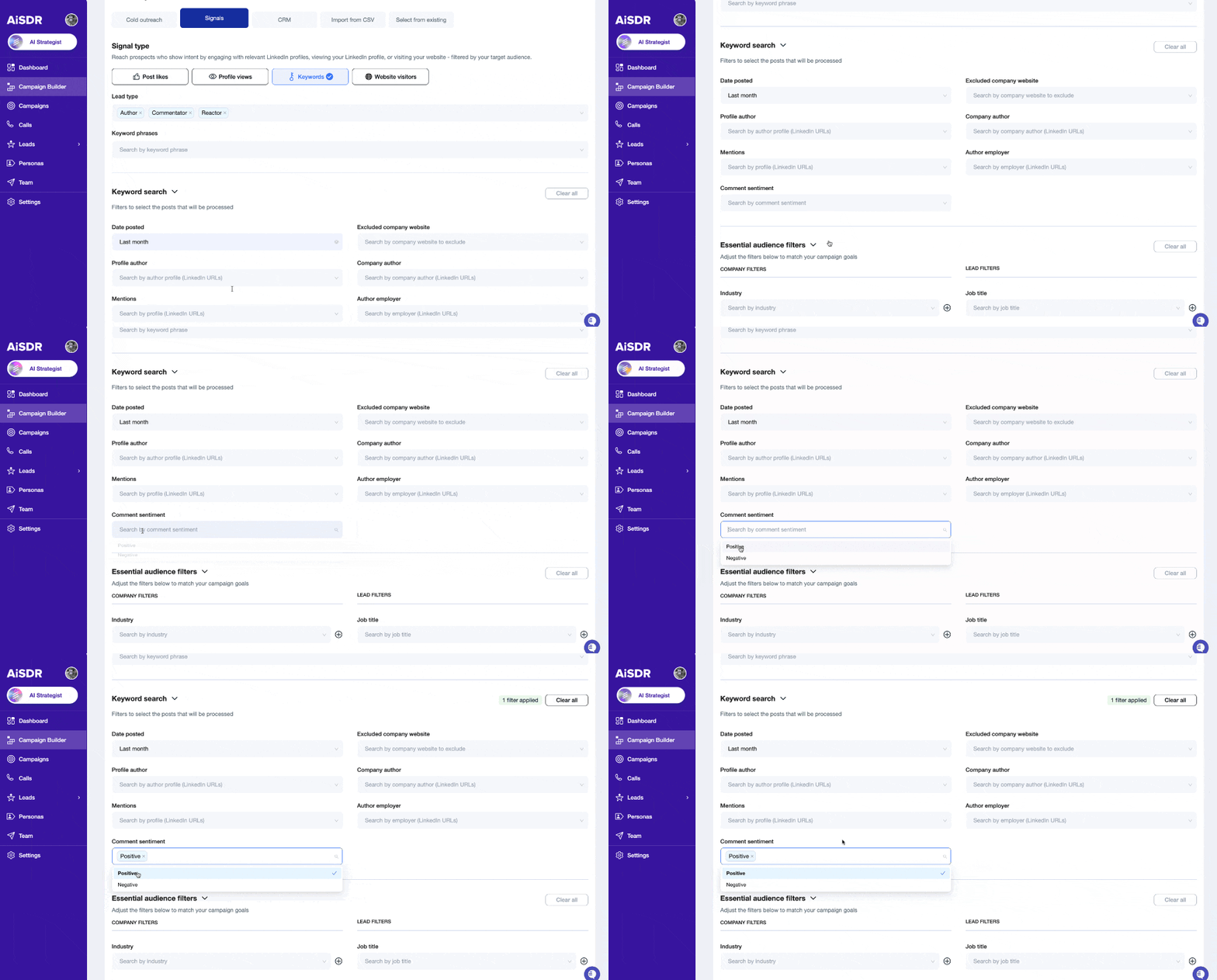
Targeting LinkedIn posts that have tons of comments and an array of opinions? That’s where the new Comment sentiment filter comes in.
How it works
While building a LinkedIn keyword campaign, you can enable the Comment sentiment filter and have AiSDR analyze each comment’s tone and assess its sentiment.
Search for positive sentiment if you want to engage people who support or show interest in the topic you’re targeting, and negative sentiment to reach those dissatisfied, such as with competitors, specific solutions, or certain pain points.
Why it’s cool
Imagine you’re building a LinkedIn campaign targeting your competitors’ users.
You want to reach people who are done with your competitor and ready for something better. So you set the Comment sentiment to “Negative,” and AiSDR starts adding people who share negative opinions about your competitor to your campaign, while filtering the happy customers out. From there, your outreach highlights why they should consider your solution as a replacement.
Scale with confidence 🔐
Previous AiSDR updates:




Power outreach with HubSpot automation & LinkedIn sentiment filters
 Summarize with
 ChatGPT
 Claude
 Perplexity
 Grok
Grok 
 Google AI