
AiSDR Product Spotlight #46: LinkedIn Keyword Search

Ah, scrolling on LinkedIn.
It’s a great way to kill time if you’re not under pressure to find prospects interested in your product and who stand to benefit from it right away.
But what if you are under pressure?
After all, time is money. Every hour chasing the wrong prospects on LinkedIn is a deal you could’ve closed elsewhere.
Yet LinkedIn is to sales prospecting what a backstage pass is to a concert. Everyone else is stuck in the crowd, but you get to skip the noise and meet the main act.
It gives you direct access to decision-makers, insights into what they care about, and a front-row seat to starting real conversations.
All you need… is keywords.
🔍 Prospecting on LinkedIn with keywords
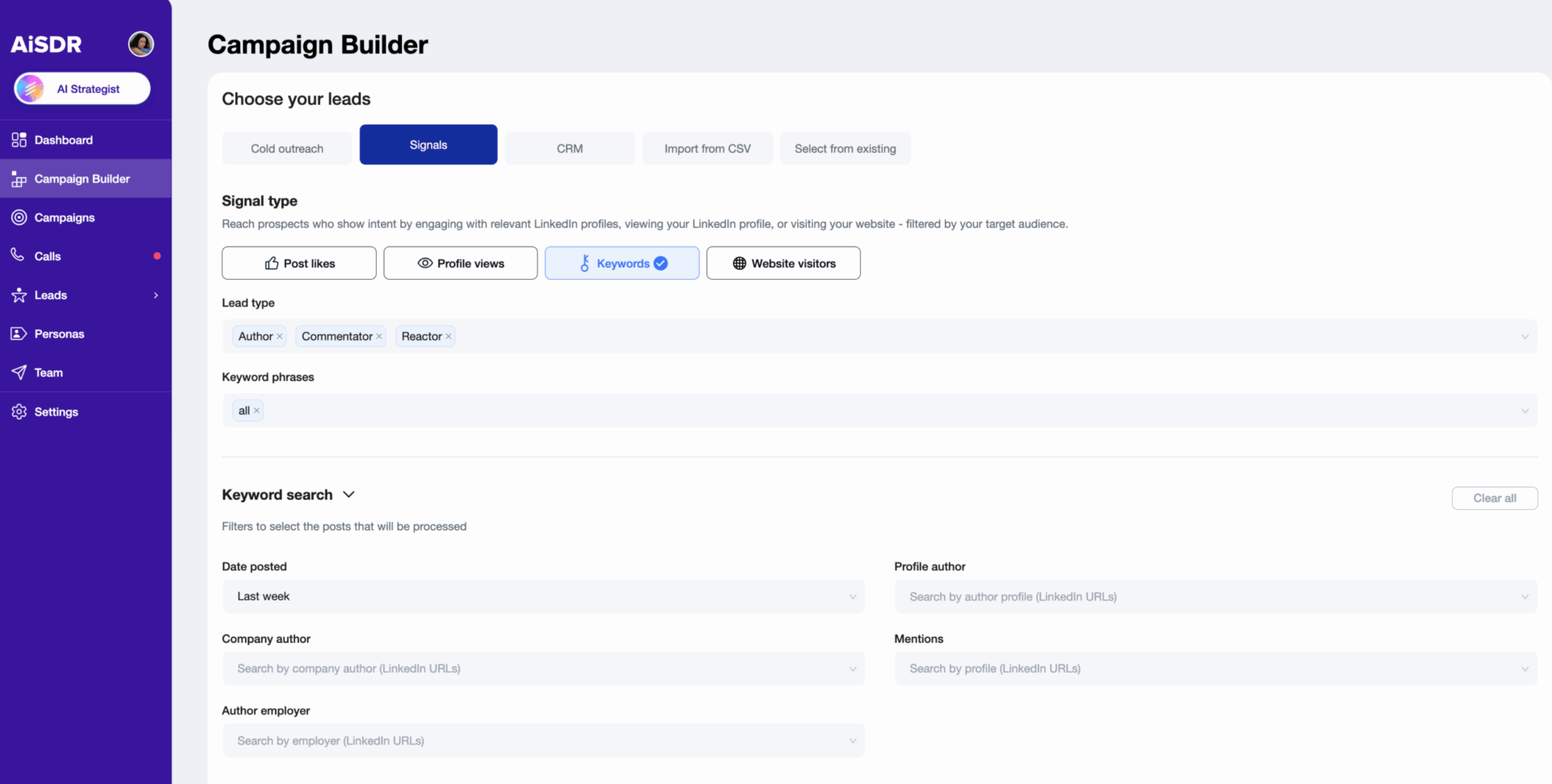
With LinkedIn Keywords, finding intent on LinkedIn just got a whole lot easier. Instead of randomly scrolling for hours, you can quickly spot posts, comments, and reactions that match the topics your buyers care about most.
It’s like having radar for engagement tuned exactly to your market.
How it works
In the Campaign Builder, go to Signals and select Keywords. Type in the terms or topics you want to track. Then choose who to include: authors, commenters, or reactors.
You can narrow things down even further by:
- Looking at posts from specific companies or employees
- Focusing on mentions of certain people or brands
- Setting a timeframe to capture the most relevant activity
Once you set your filters, AiSDR finds the posts and profiles that fit. You can jump in while the conversation is still fresh, making your outreach feel natural.
Why this feature is cool
LinkedIn isn’t just a place to build your network anymore. With Keywords, it becomes a window into what your buyers are thinking about right now.

With this feature, you can see who’s engaging on LinkedIn with the topics that matter to your business and step in before anyone else does.
It’s your chance to start conversations when interest is high before your moment slips away.
In short, LinkedIn just became a live feed of opportunity.
How to use this feature
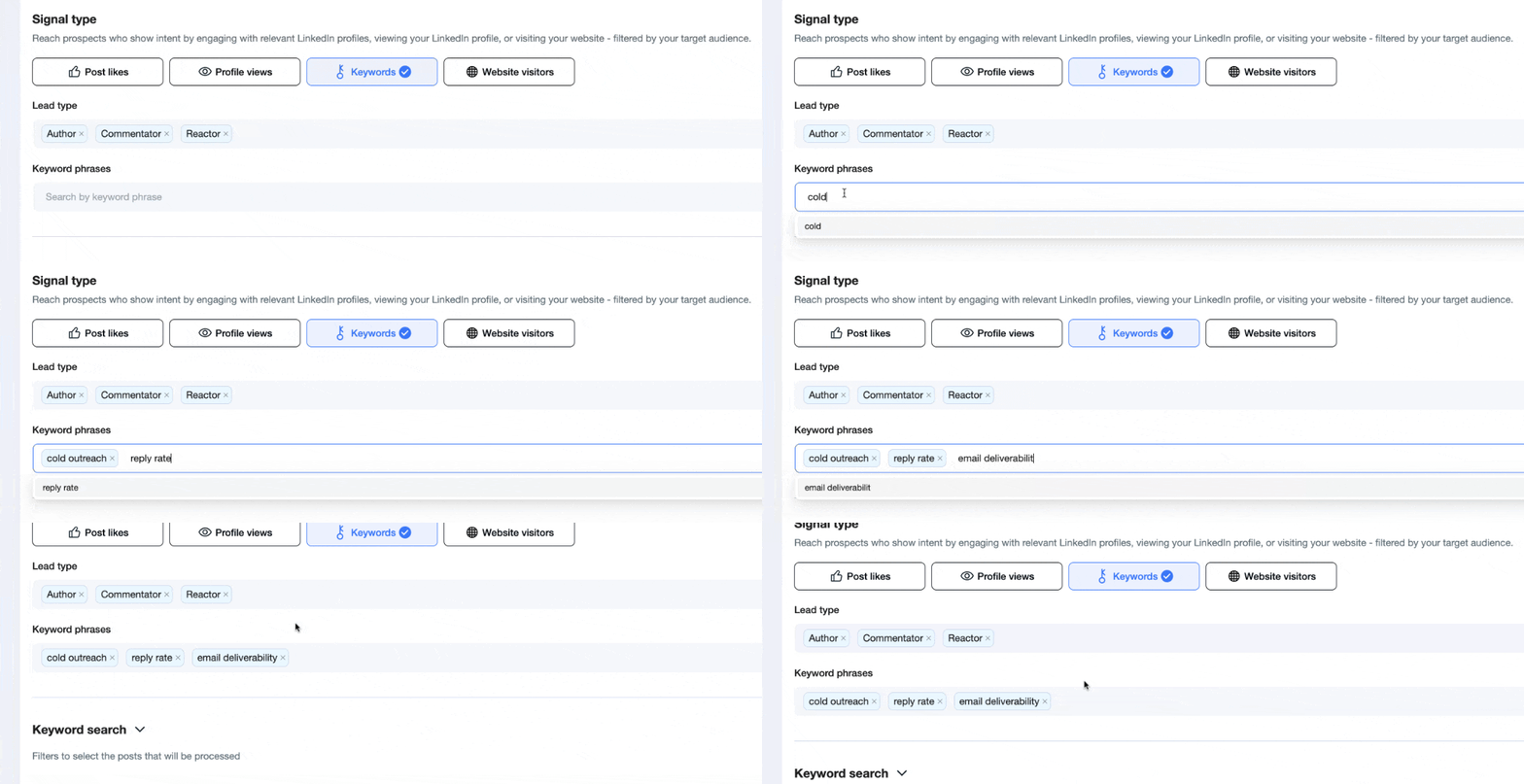
Imagine you’re selling a sales engagement platform. You can add keywords like:
- “cold outreach”
- “reply rate”
- “email deliverability”
And AiSDR starts tracking LinkedIn posts where people mention these topics. Maybe someone comments about struggling to get replies. Or a RevOps leader posts about new outreach tactics.
You’ll be able to see who’s already talking about the exact problems your product solves, and then reach out while the topic is still fresh and buzzing.
That’s how you turn everyday LinkedIn chatter into high-intent conversations.
Scale with confidence 🔐
Previous AiSDR updates:




Check out how AiSDR spots and engages prospects based on LinkedIn interactions
 Summarize with
 ChatGPT
 Claude
 Perplexity
 Grok
Grok 
 Google AI