AiSDR Product Spotlight #45: Lead caps & Campaign Viewer role

Building great outreach takes more than strong messages or big campaigns. It depends on keeping every part of your process in sync so campaigns run the way they’re meant to.
Sometimes that rhythm slips.
Maybe your targeting looks solid at first, but a few big companies start to pop up too many times in your list. Or a teammate accidentally makes a change that throws off your targeting. Either way, the results start to feel uneven, and the established flow gets interrupted.This week’s release is about bringing that balance back by giving you more control over targeting and teamwork inside AiSDR.
🎯 Limit the number of leads per company with lead caps
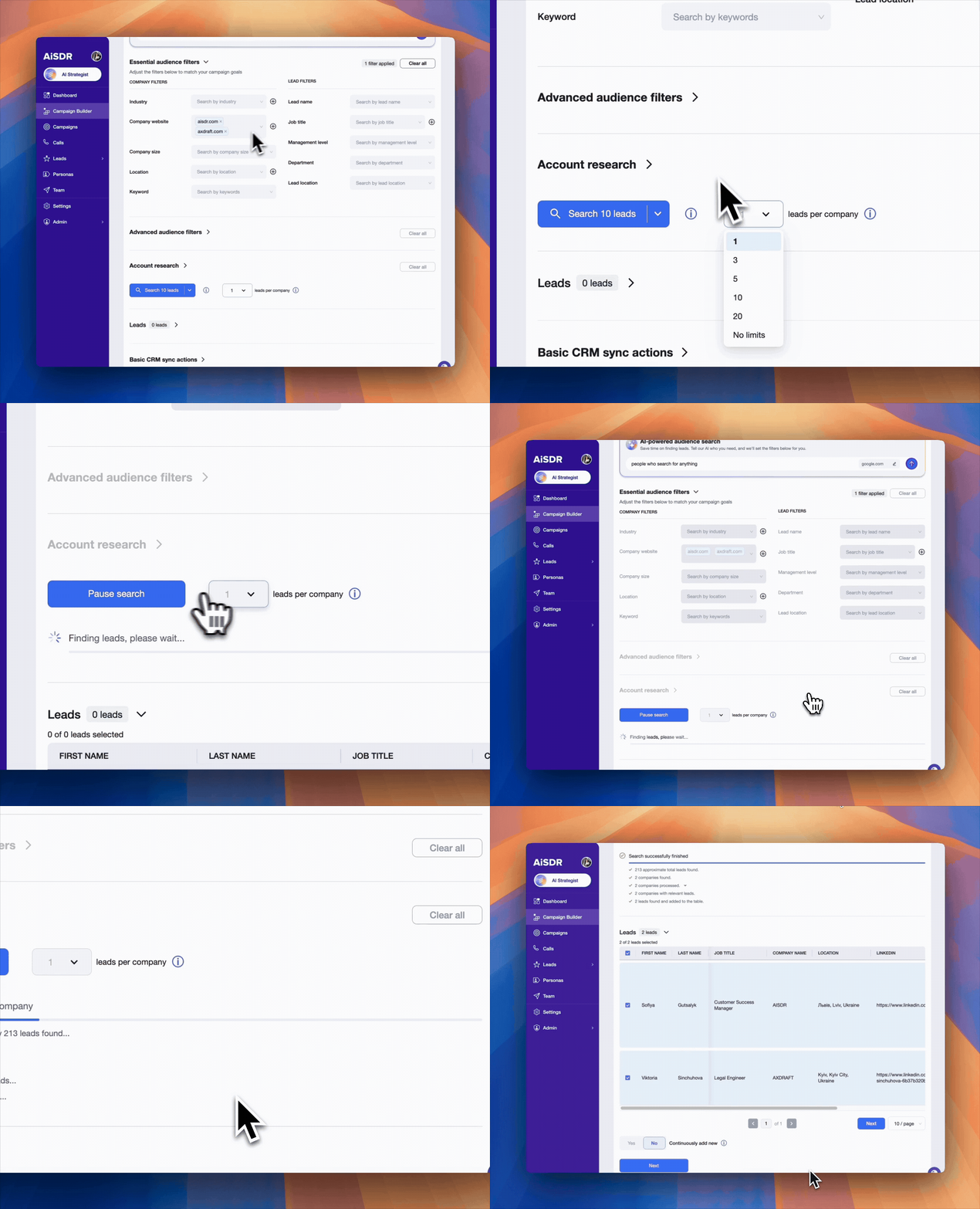
When building a campaign, you can now set how many leads to include from a company. AiSDR automatically adjusts your audience size based on that limit, giving you a more balanced and accurate view of your total reach.
Why it matters
- Keeps outreach balanced across accounts
- Prevents over-messaging people from the same company
- Gives a clearer view of your real audience size
Lead caps are a simple way to stop your outreach from turning into a group chat.
Imagine a company with ten people on the same team, all getting your cold email before lunch. By the third one, it’s less “personal outreach” and more “office meme.” Lead caps save you from that, keeping your campaigns sharp and your reputation intact.
🛡️ Campaign viewer role for improved collaboration
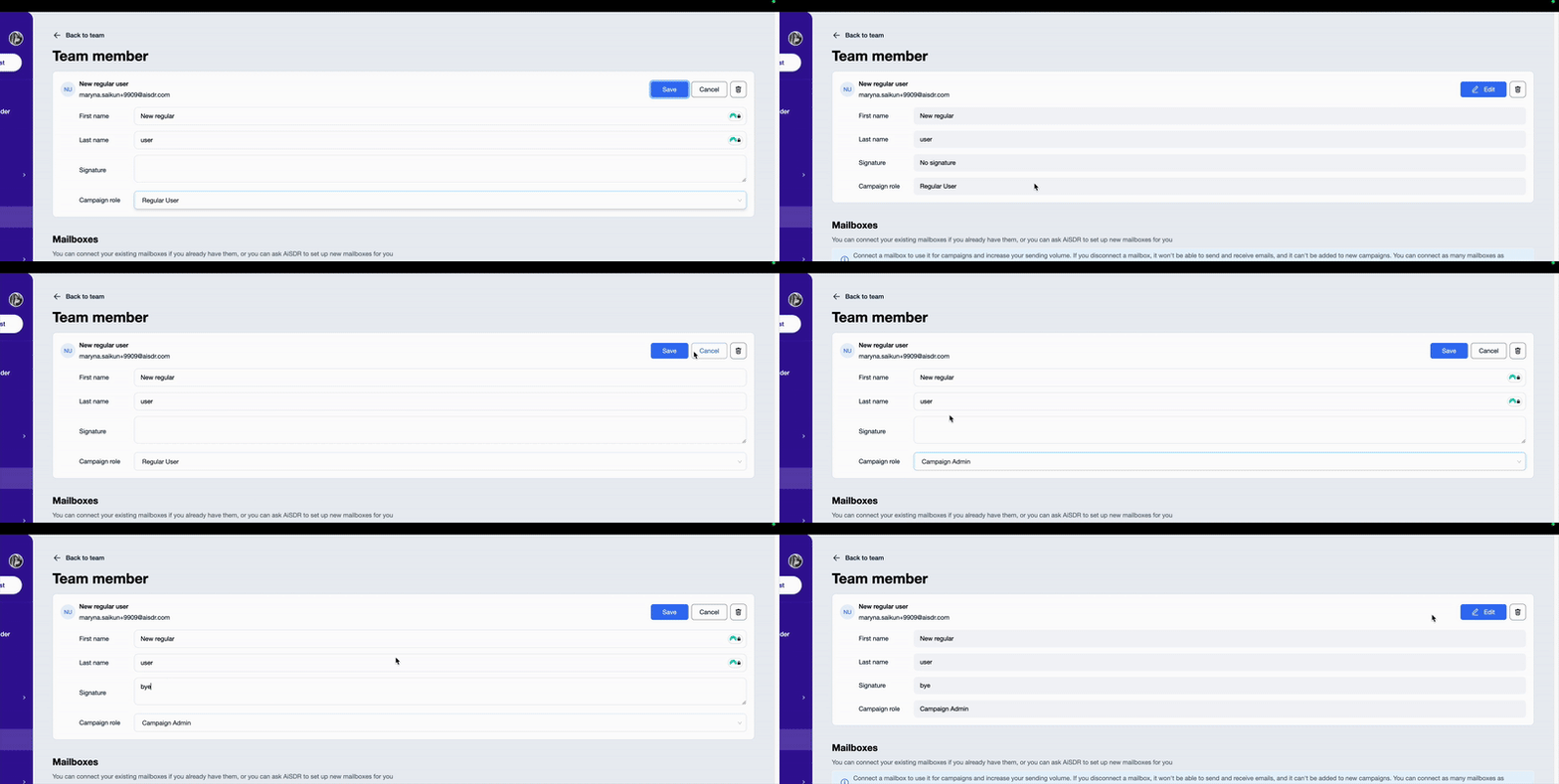
Built from direct client feedback, this update helps teams stay aligned while keeping campaign management under control.
Now you can assign the role of Campaign Viewer to teammates who need visibility without full editing rights. They can view everything happening in campaigns, track performance, or pause and resume campaigns, all without the risk of accidental edits or changes.
Teammates can even send manual replies to keep conversations moving without touching campaign settings.
Because let’s be honest: Not everyone should have the power to hit “delete campaign.” This role gives access where it’s needed and peace of mind where it counts.
Why it’s cool
- Give your team greater visibility without risking human error
- Protect campaigns from unwanted edits
- Keep roles clear and collaboration simple
✨ More UI improvements
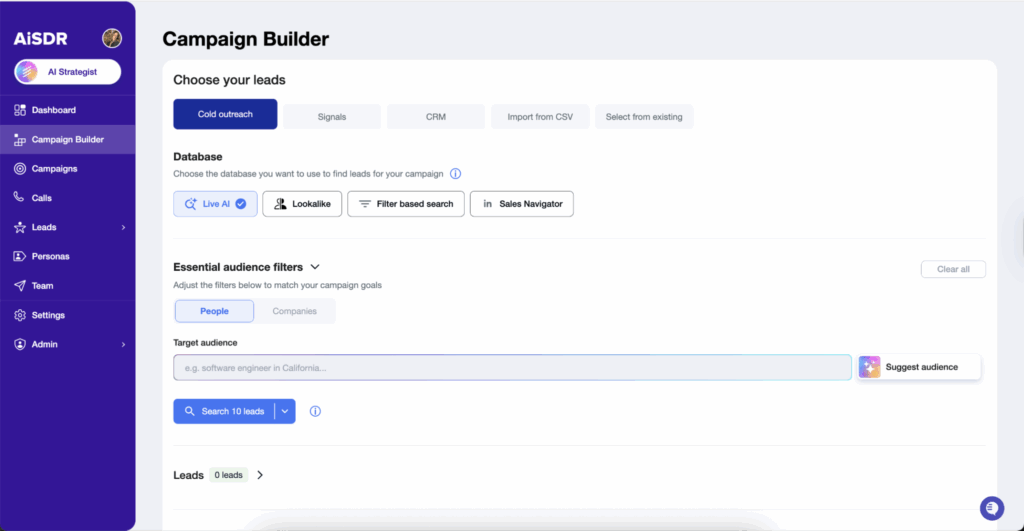
AiSDR continues its visual update with a cleaner Preview Sequence modal and a refreshed Live AI tab, now set as the default view. Both make it easier to follow your workflow and review campaigns as you build.
Clearer layouts and better hierarchy mean less time clicking around and more time focused on outreach that moves the needle.
Next week’s sneak peek
Mid-October is upon us, but we’re not done yet. Our next update will take prospecting via LinkedIn to a whole new level 🪄 Stay tuned for more!
Scale with confidence 🔐
Previous AiSDR updates:




Manage campaigns easier with lead caps and a new Campaign Viewer role
 Summarize with
 ChatGPT
 Claude
 Perplexity
 Grok
Grok 
 Google AI